2025-1102-0049 UE Unreal Engine 5 Gameplay Ability System (GAS) Crash Course
1. Section 1 Intro
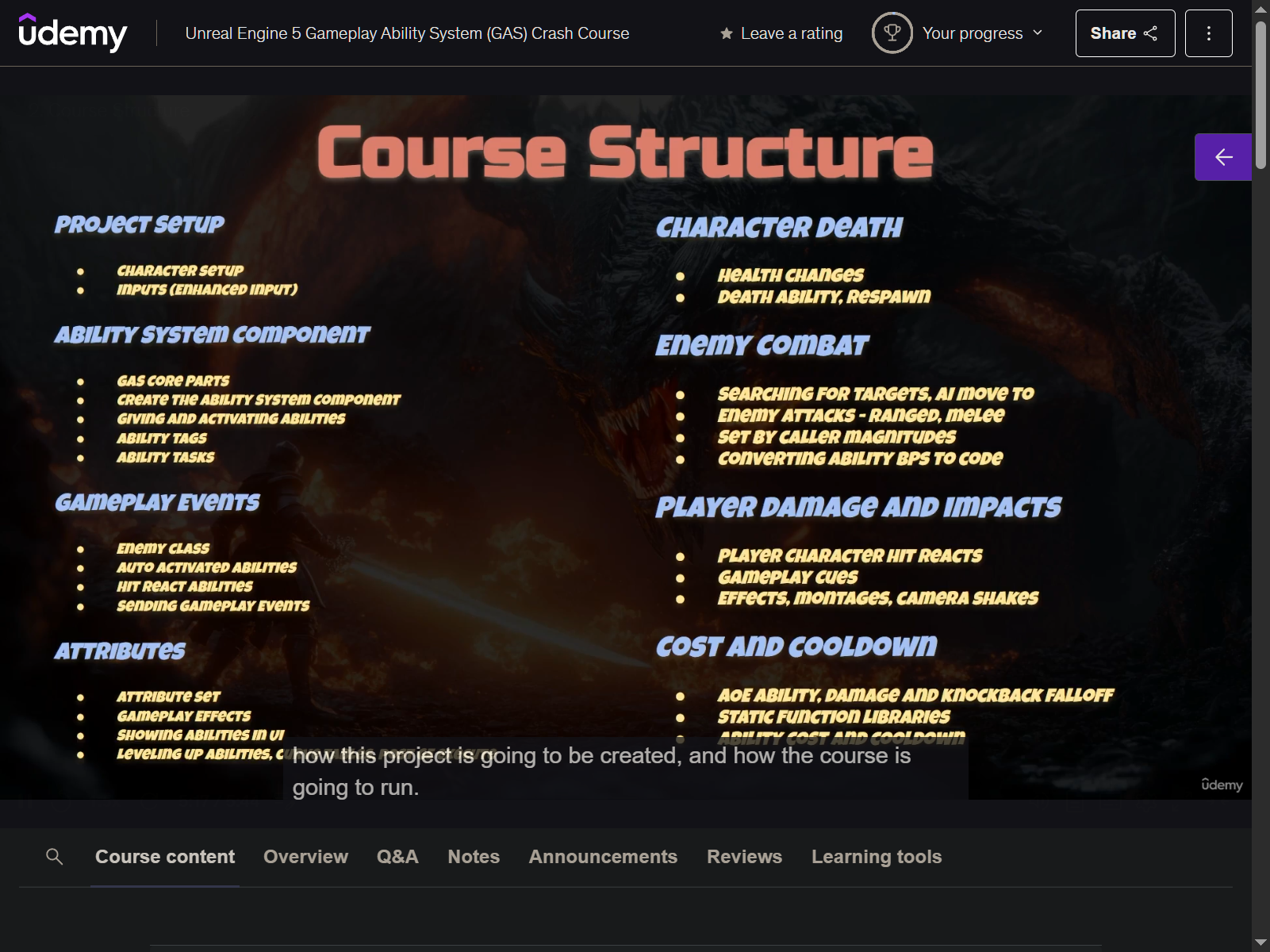
2. Course Structure
3. Project Creation
-
open with Rider
-
editor preference
- uncheck reinstancing
- asset editor open location - main window
-
project setting
- change copywrite info
-
Content Folder
- CrashCourse
- Maps
- CCMap (new Basic map)
- make it as default map
- Maps
- CrashCourse
-
import asset
- paragon boris
- paragon minions
-
migrate assets
- two FX
-
to see the claws in the secondary fx
- open M_ImapctSlash
- make it Two Sided
- open M_ImapctSlash
4. Character Classes
- Source - CrashCouse - add Unreal Class
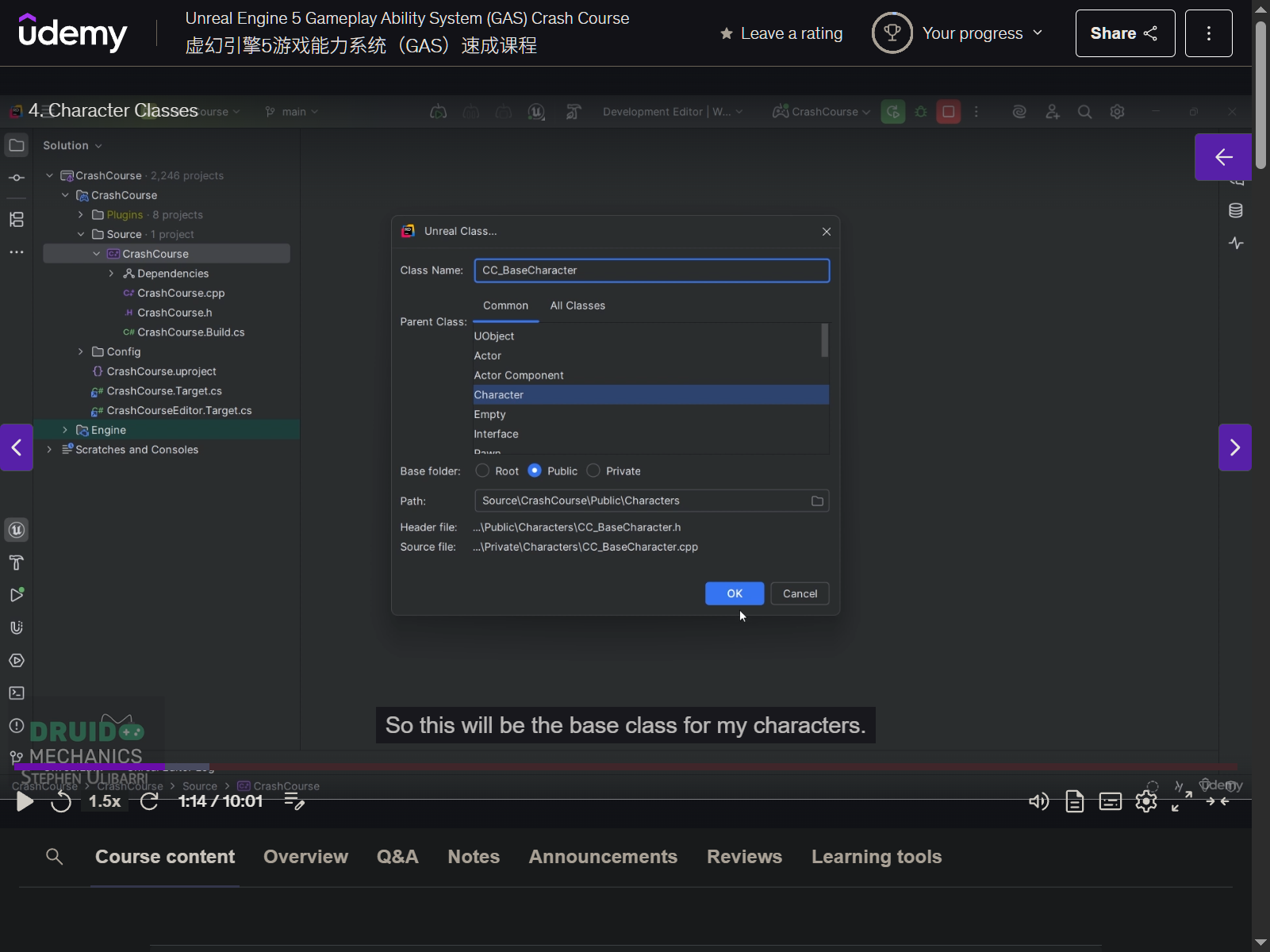
- CC_BaseCharacter (make it Abstract so can not be instantiated)
- cpp
- bCanEverTick = false
- cpp
  // Tick and refresh bone transforms whether redered or not - for bone updates on a decdicated server
GetMesh() -> VisibilityBasedAnimTickOption = EVisibilityBasedAnimTickOption::AlwaysTickPoseAndRefreshBones;
- create `CC_PlayerCharacter
- remove not needed
- .h
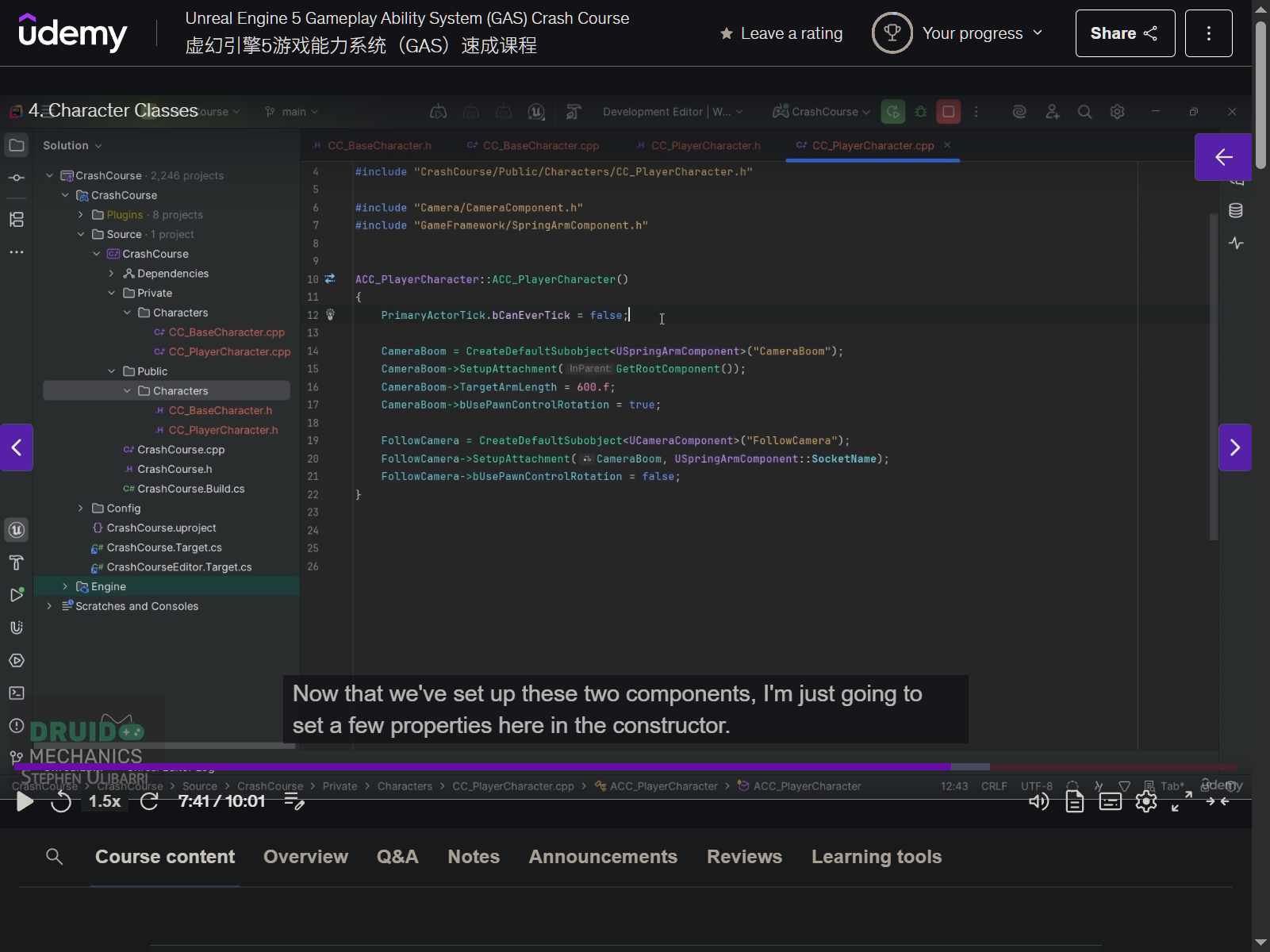
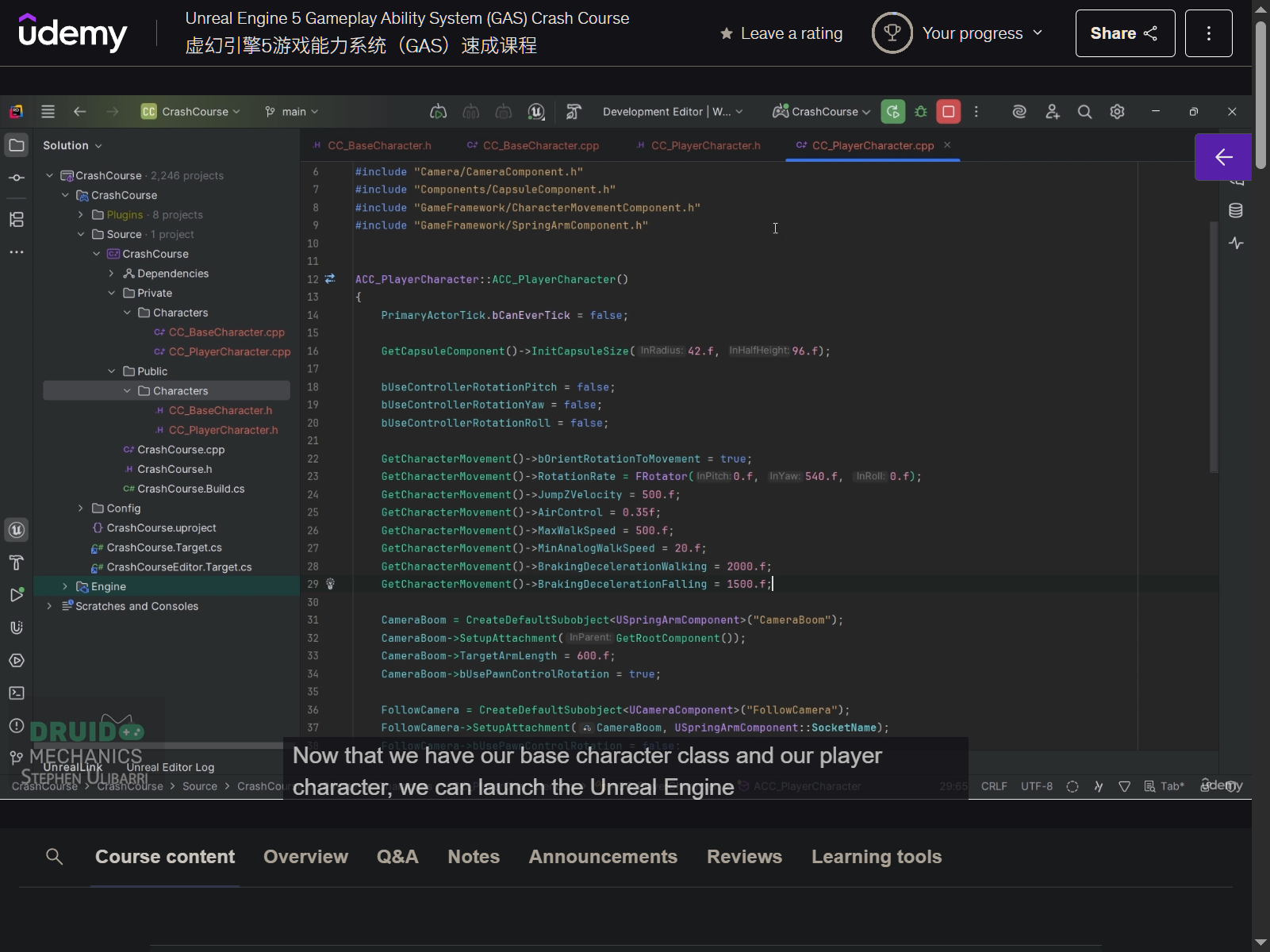
- create springarm and camera
- .cpp
- bCanEverTick = false
5. Character Blueprint
- BP_CC_PlayerCharacter (based on CC_PlayerCharacter class, under Character Folder)
- Mesh - Boris
- Anim Class - Boris_AnimBlueprint
- BP_CrashGamemode
- default pawn class - BP_CC_PlayerCharacter
- project setting
- default gamemode
- BP_CrashGamemode
- default gamemode
- error debugging
- remove sth from bp
- bpa
- switch devide to safe devide
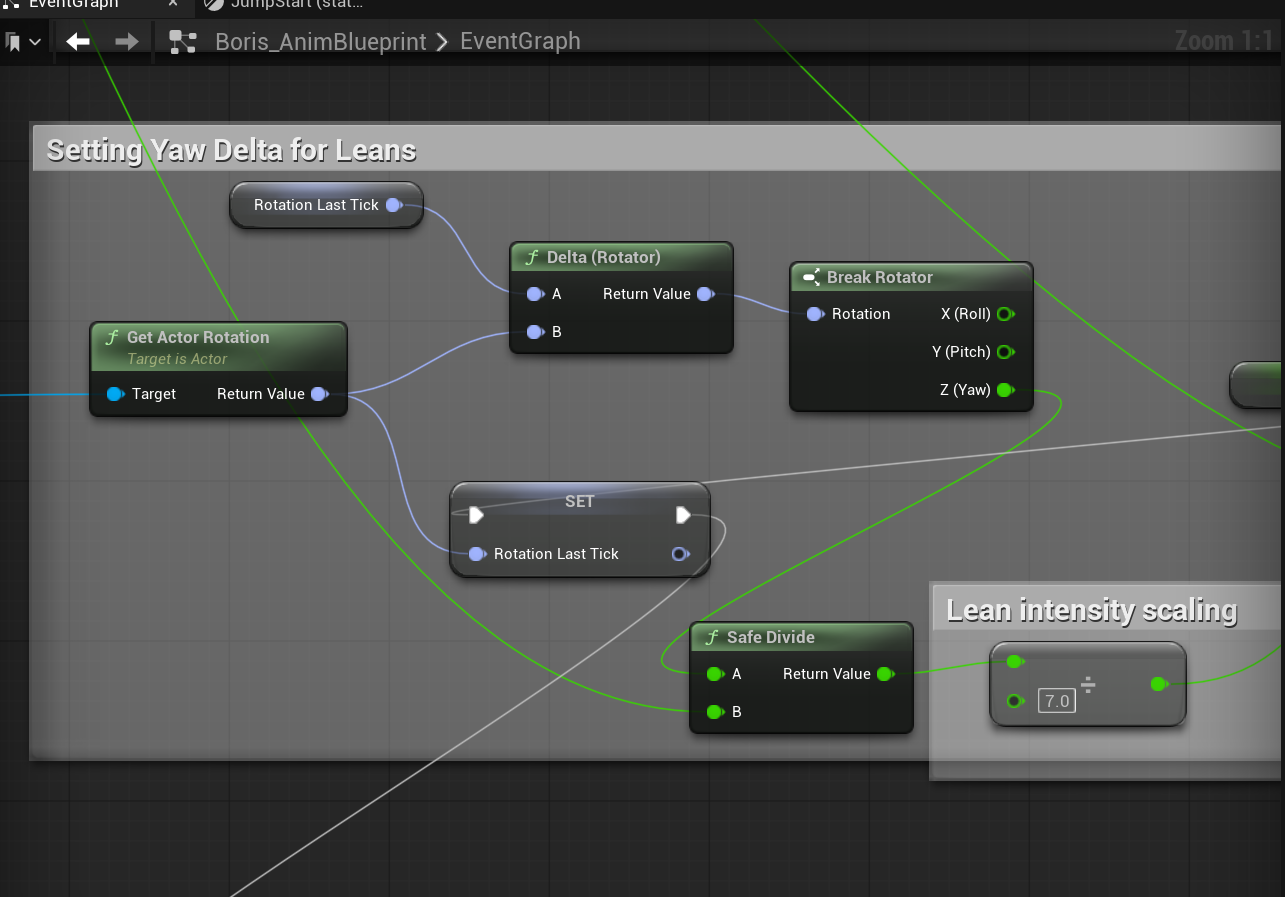
- remove the particle system to be played in the montage
- switch devide to safe devide
6. Enhanced Input
- input foler
- IMC_Movement
- Movement Actions
- IA_Jump
- Space bar
- IA_Look
- Axis2D (Vector2D)
- mouse XY 2D
- Negate
- Y
- IA_Move
- Axis2D (Vector2D )
- W
- Swizzle input axis values
- YXZ
- S
- Swizzle input axis value
- YXZ
- negate
- A
- negate
- D
- nothing
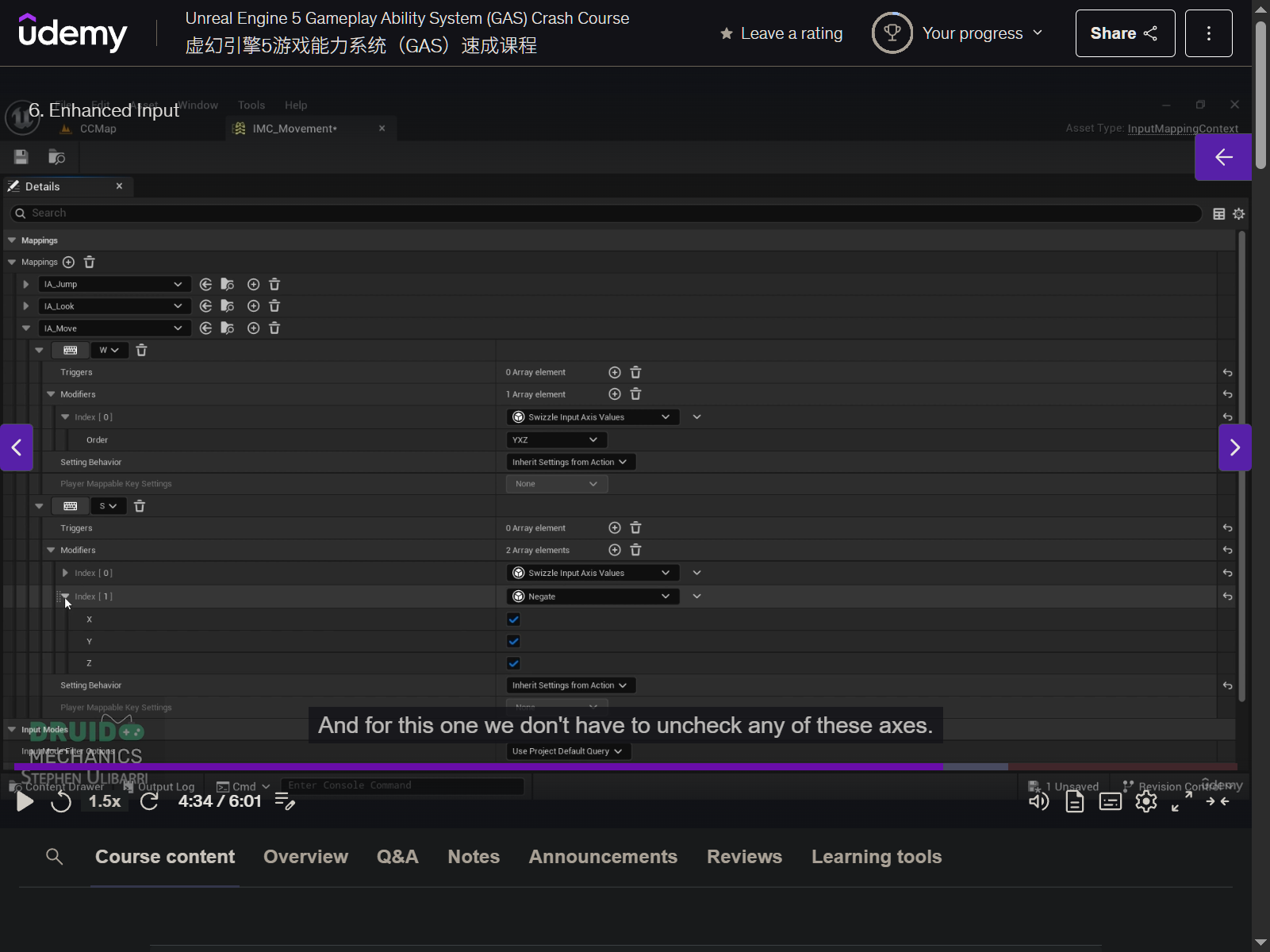
- IA_Jump
- Movement Actions
- IMC_Movement
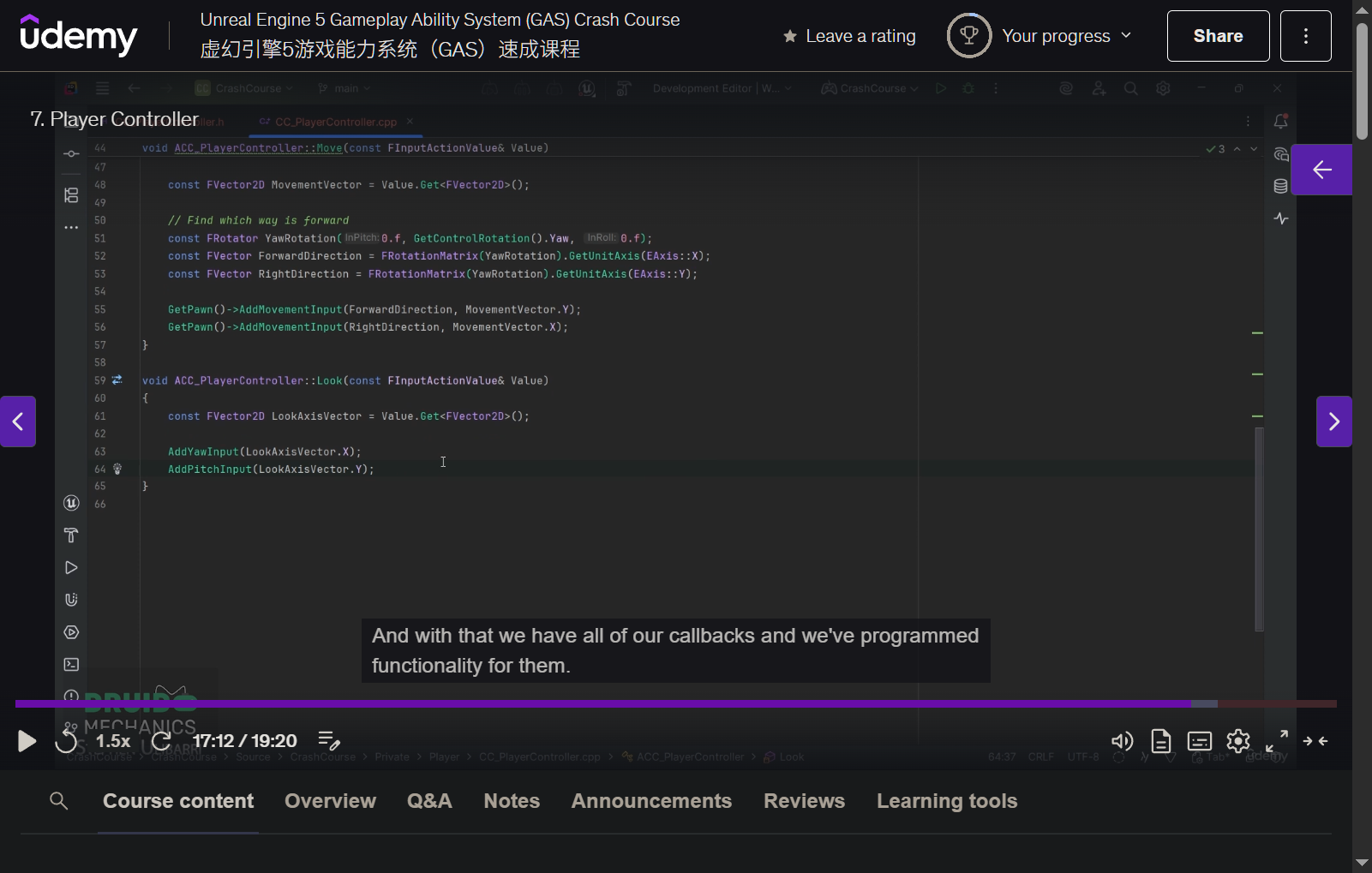
7. Player Controller
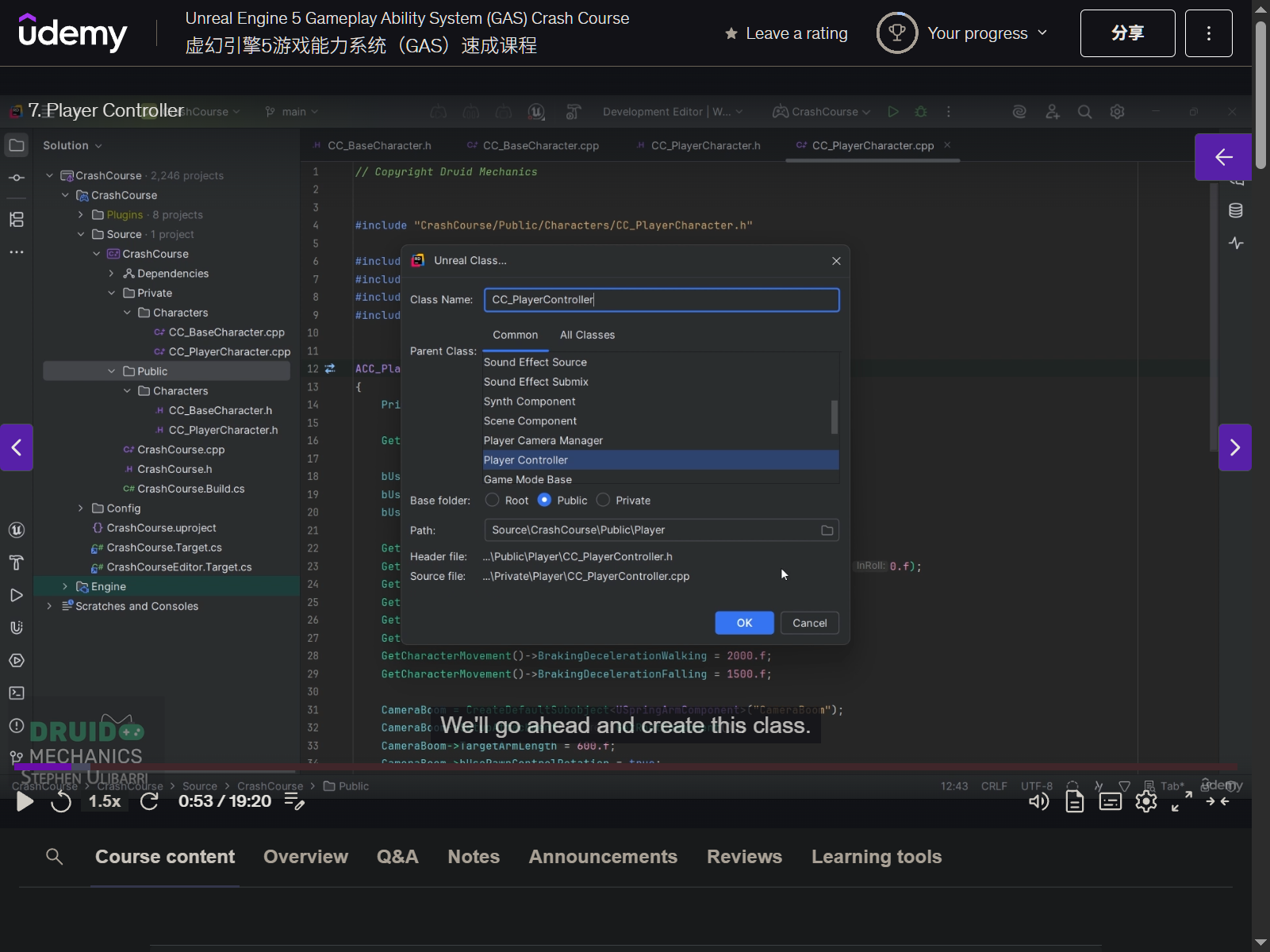
- CC_PlayerController
- protected
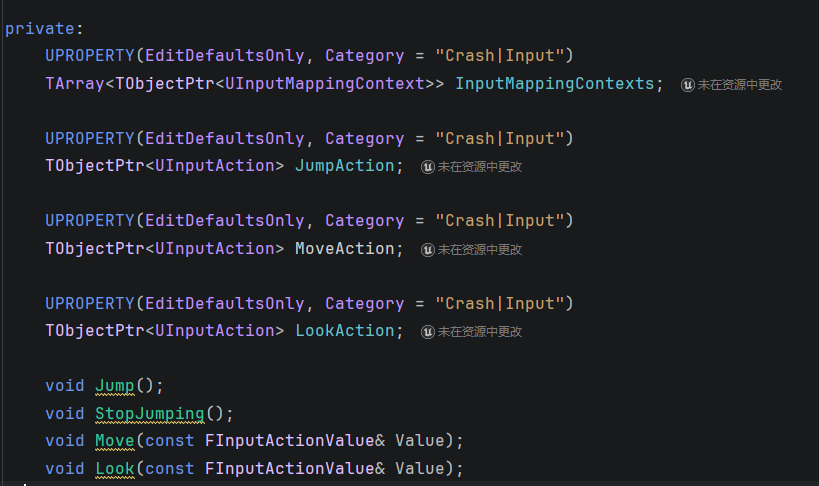
- virtual void SetupInputComponent() override;
- private
- protected
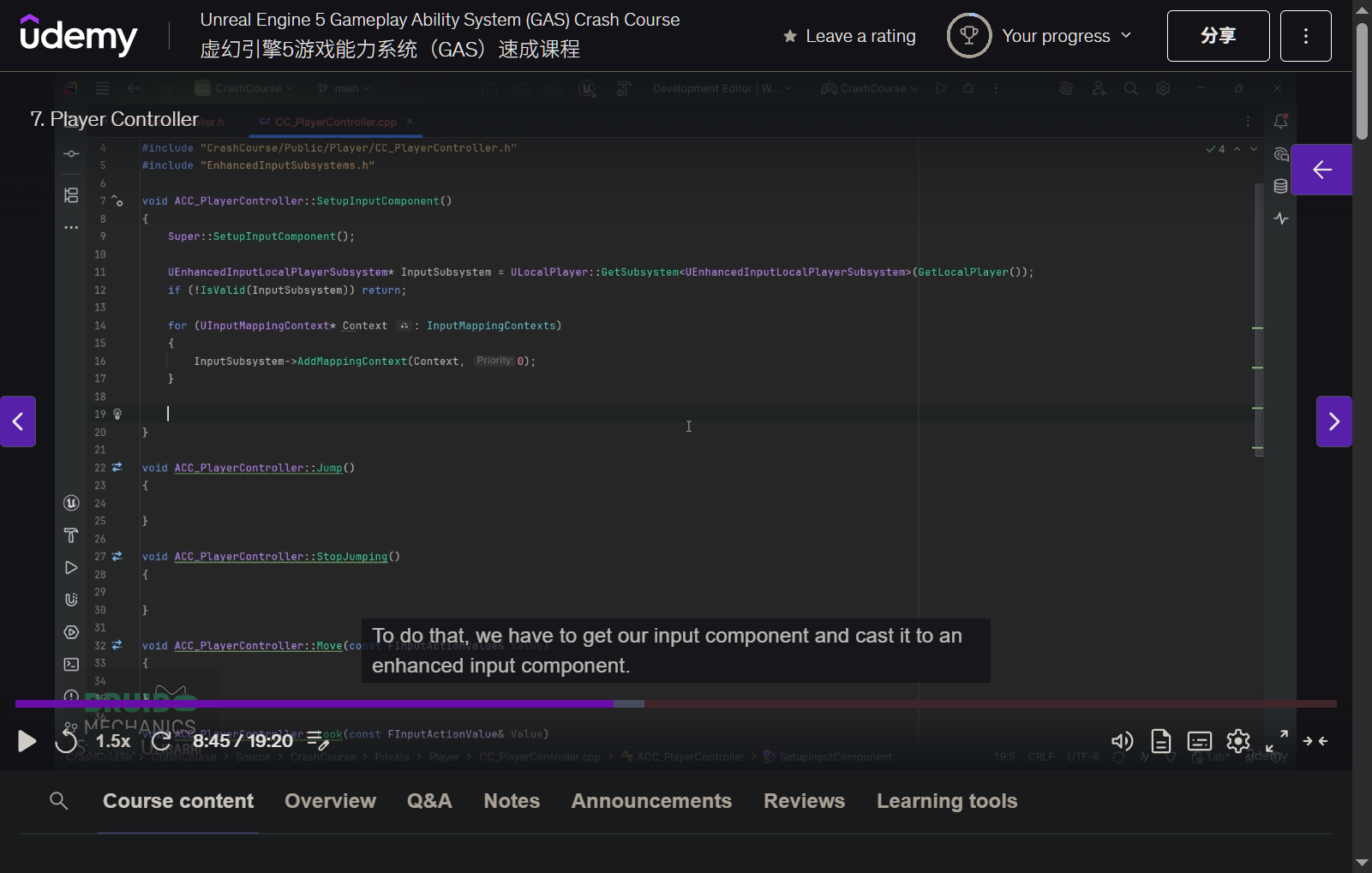
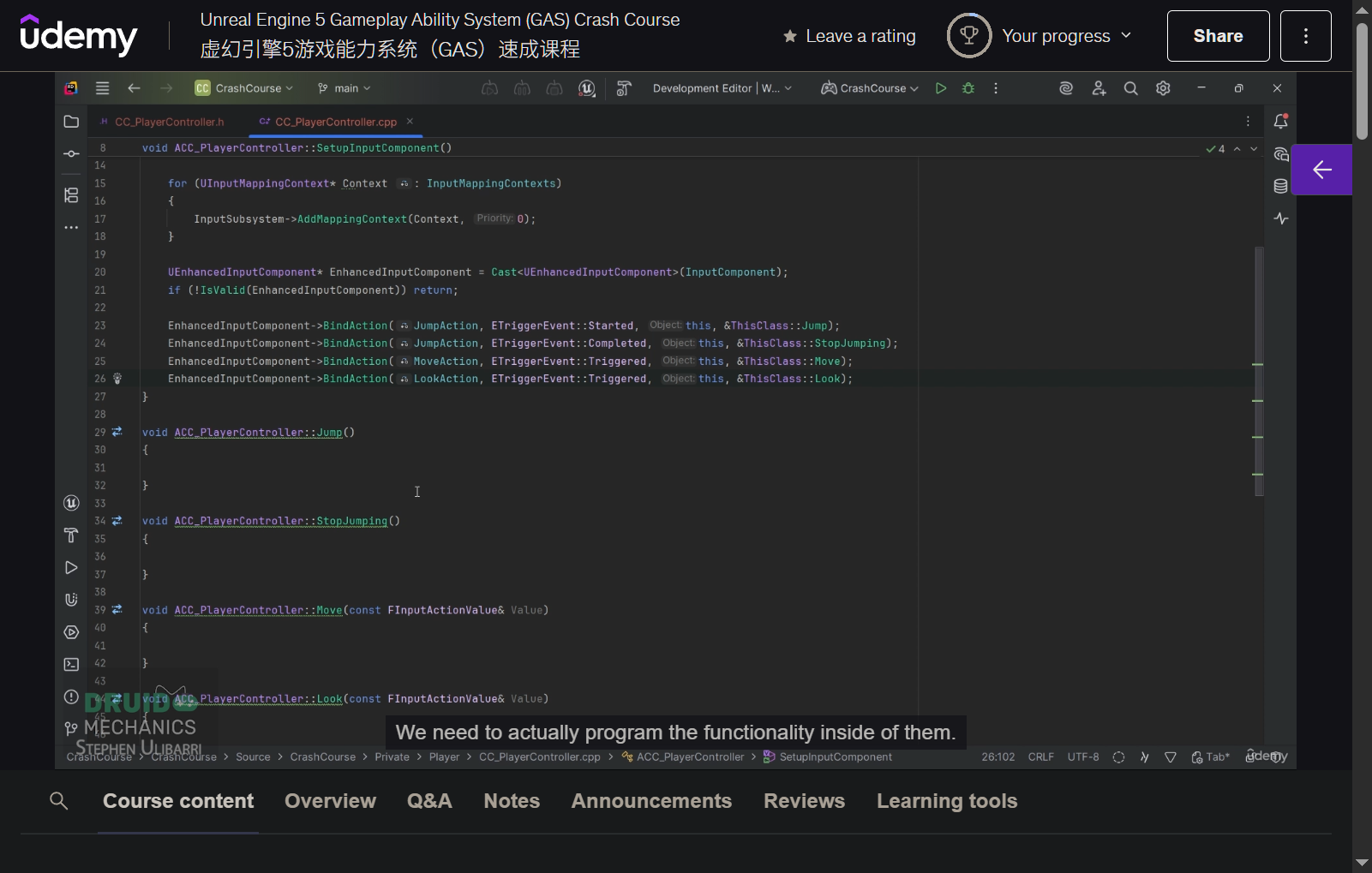
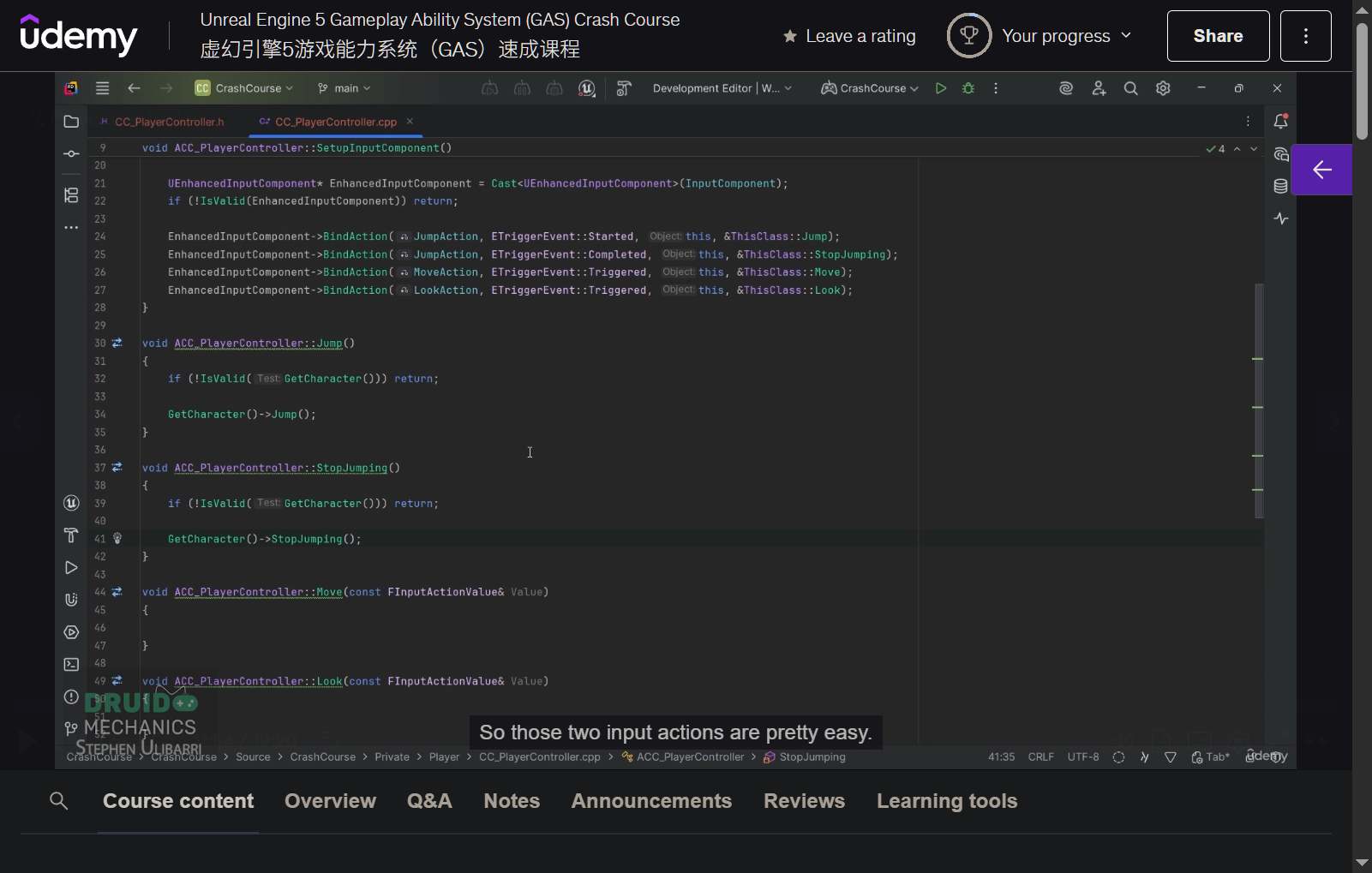
- .cpp
- add imc to local player
- bind call back function
- implement jump and stop jumping
- implement move and look
- add imc to local player
- create new BP_CC_PlayerController
- add imc and ia
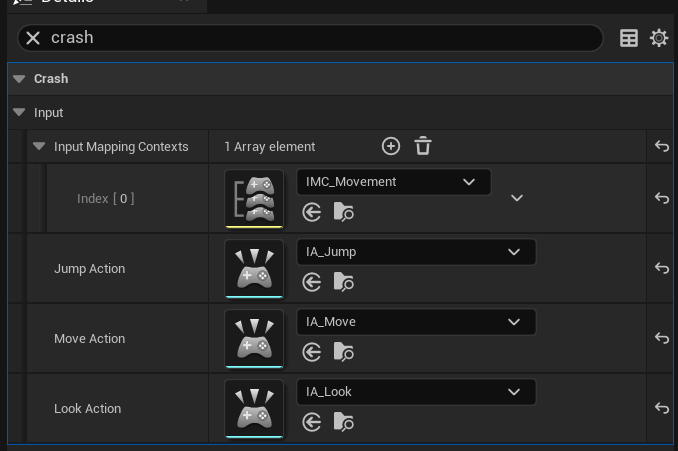
- update gamemode with new BP_CC_PlayerController
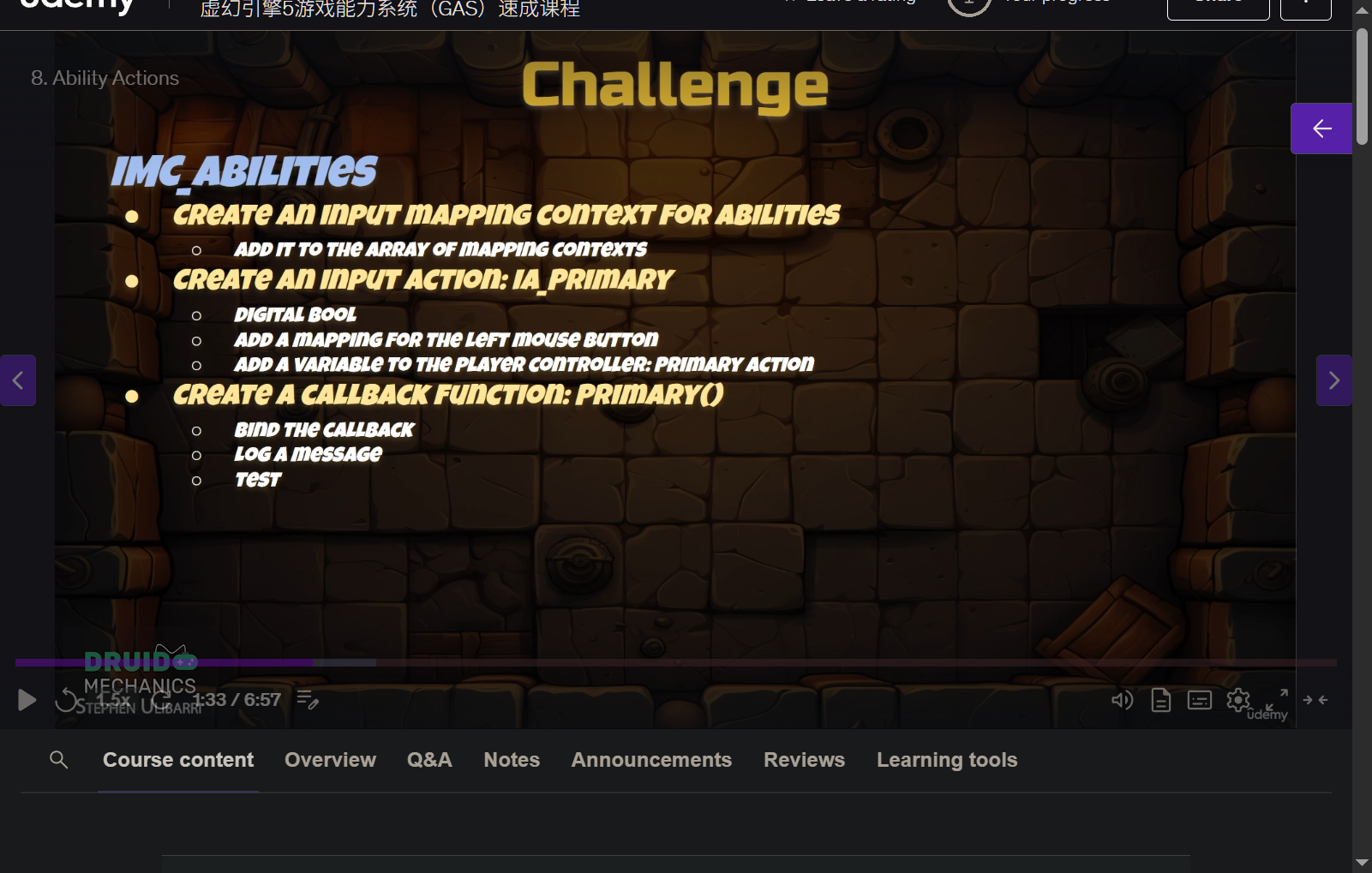
8. Ability Actions
9. Section 2 Intro
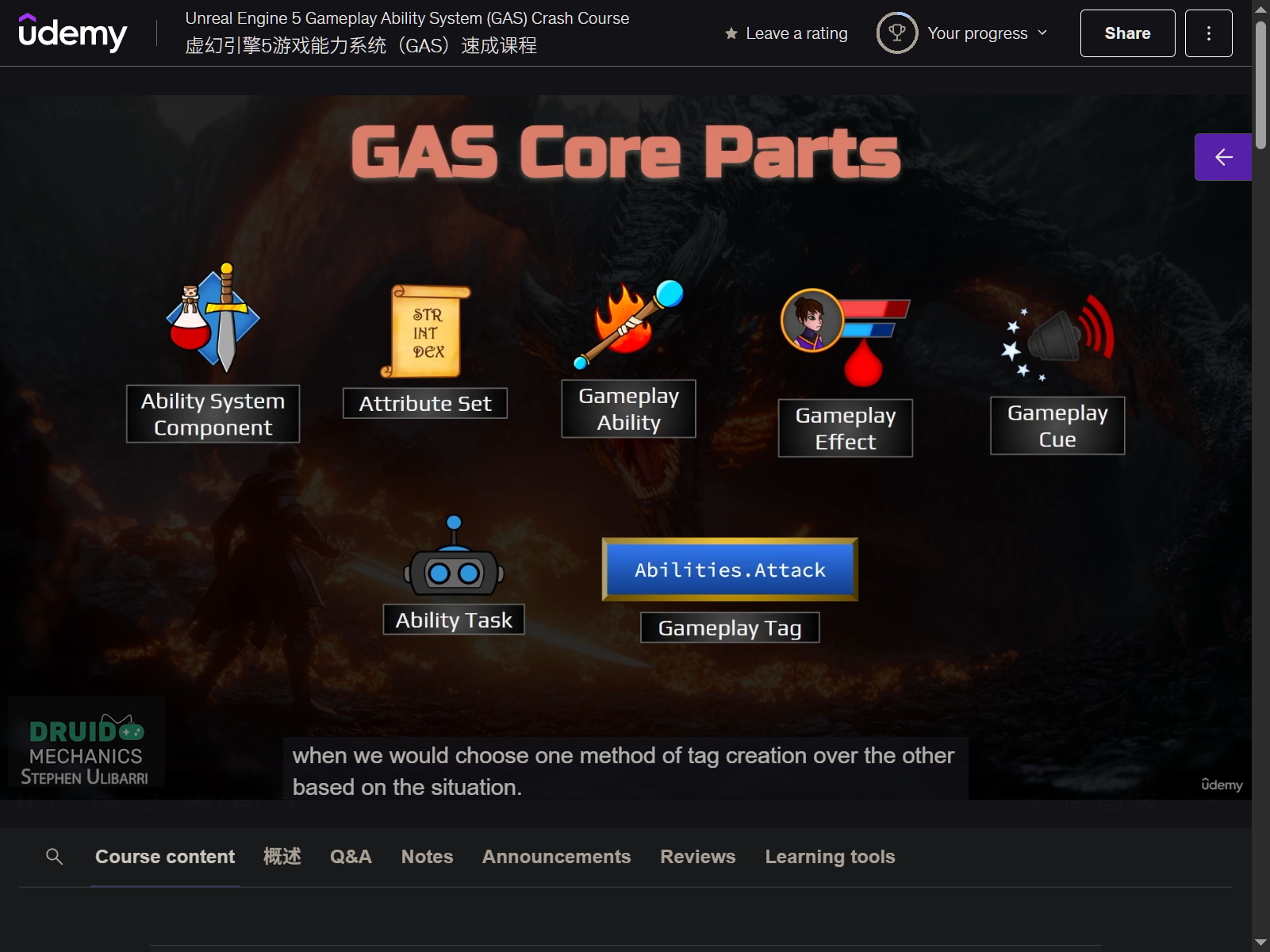
10. GAS Core Parts
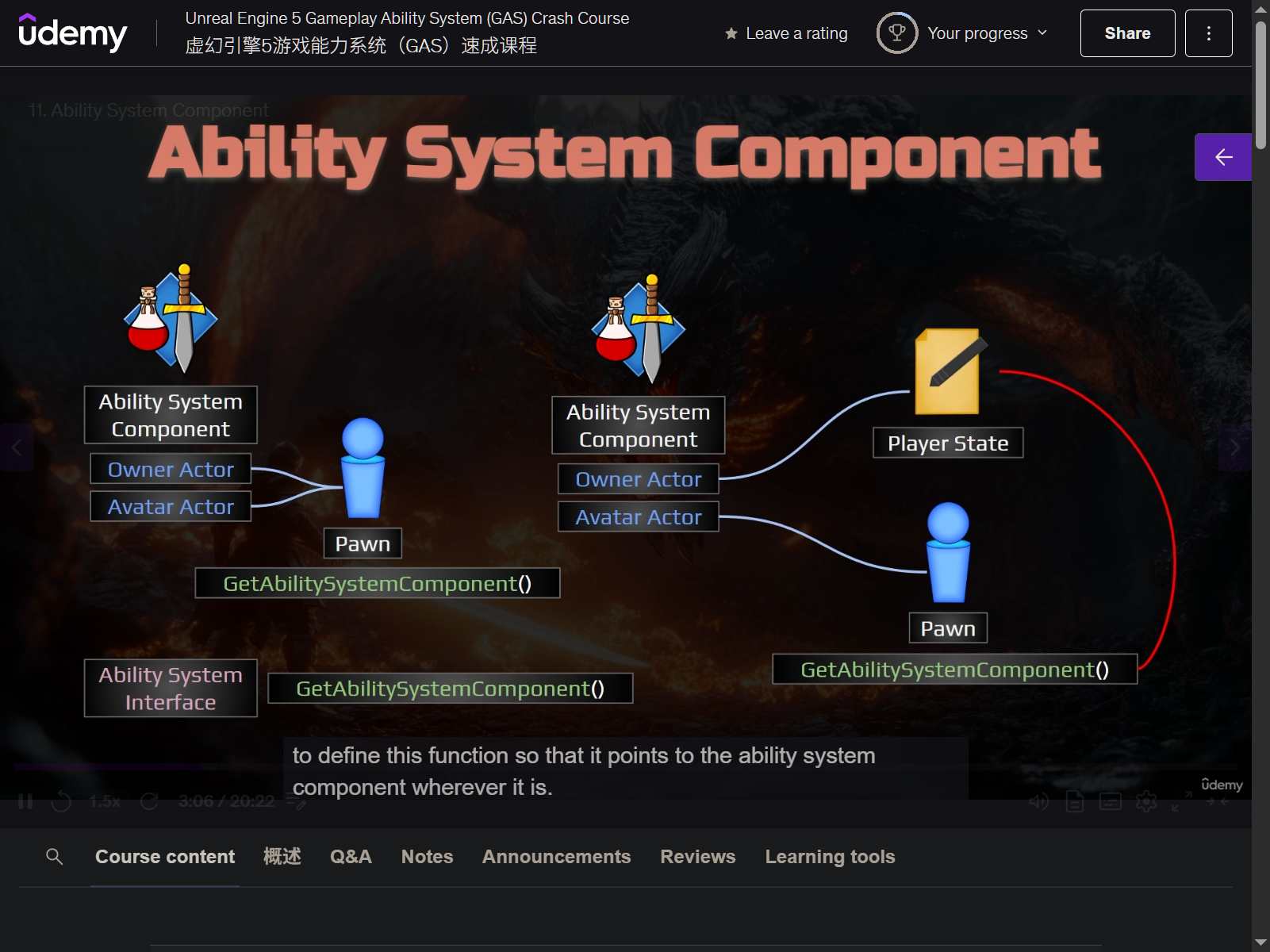
11. Ability System Component
-
make player state as owner can save the player status
-
add GameplayAbility Plugin
-
.build. cs
- GameplayAbilities
- GameplayTags
- GameplayTags
-
create CC_PlayerState
- .h
- public
- construct
- private
- create AbilitySystemComponent
- public
- .cpp
- SetNetUpdateFrequency (100. f)
- create AbilitySystemComponent
- replicated
- replicationmode - mixed
- .h
-
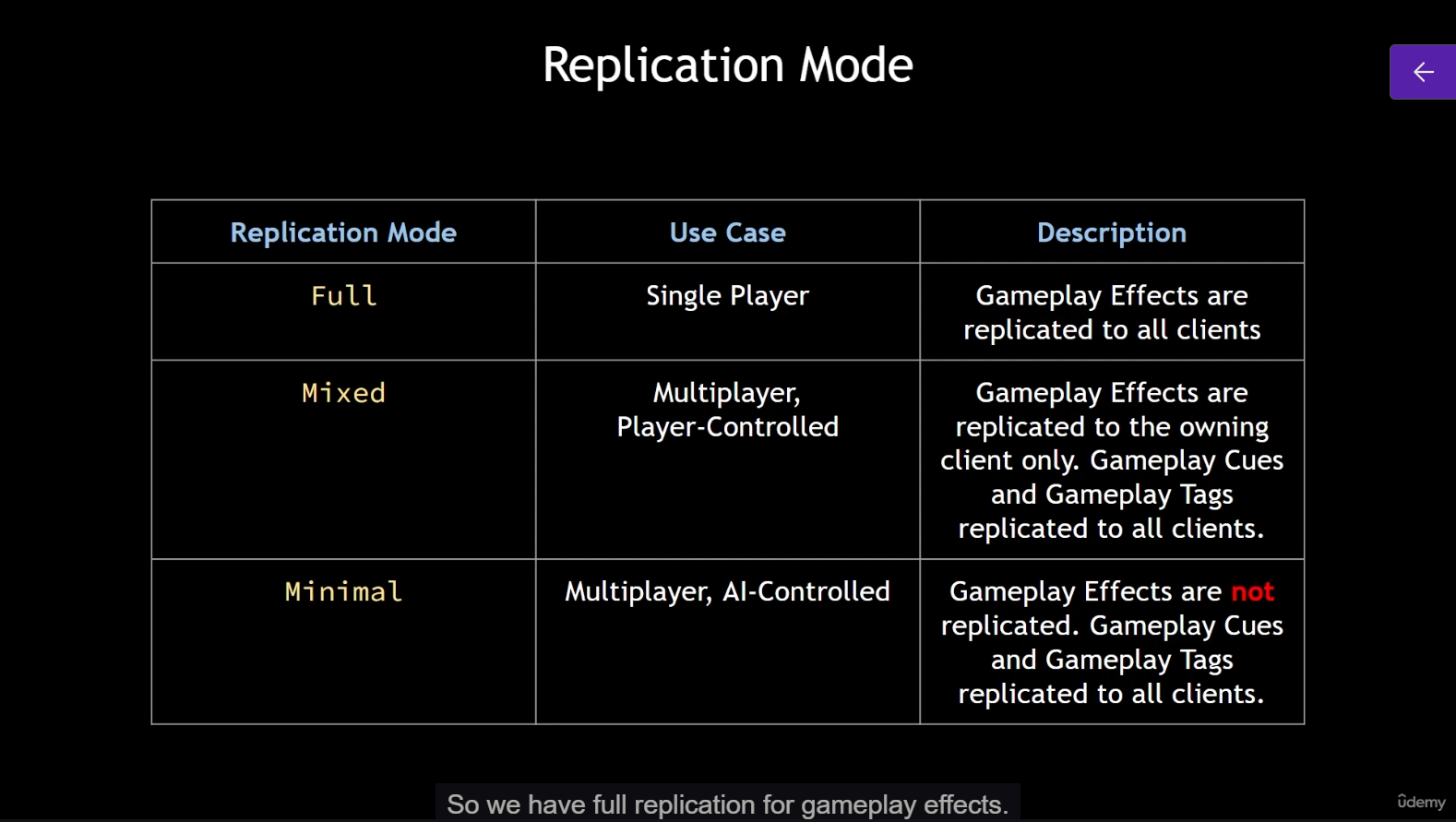
replication mode
- depends on gameplay effects
- full
- to all clients
- mixed
- replicated to the owning client
- minimal
- not replicated
-
.h
- add IAbilitySystemInterface inherit
- declare GetAbilitySystemComponent function override
-
add the IAbilitySystemInterface inherit to the CC_BaseCharacter class .h
- override GetAbilitySystemComponent function in
- CC_PlayerCharacter
- get PlayerState and cast to CC_PlayerState
- CC_PlayerCharacter
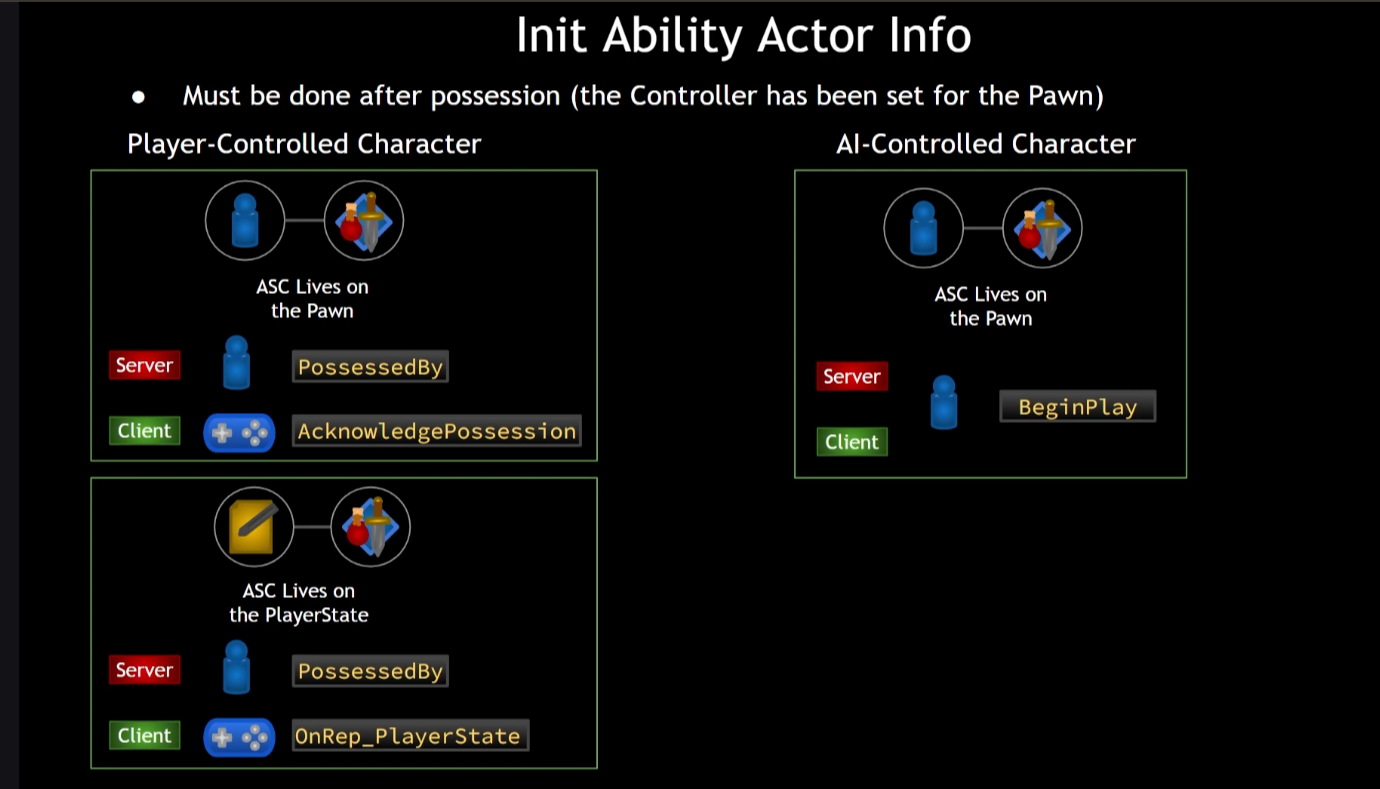
- initAbilityActorInfo when ready
- for server
- override possessedBy
- for client
- override OnRep_PlayerState
- for server
- override GetAbilitySystemComponent function in
-
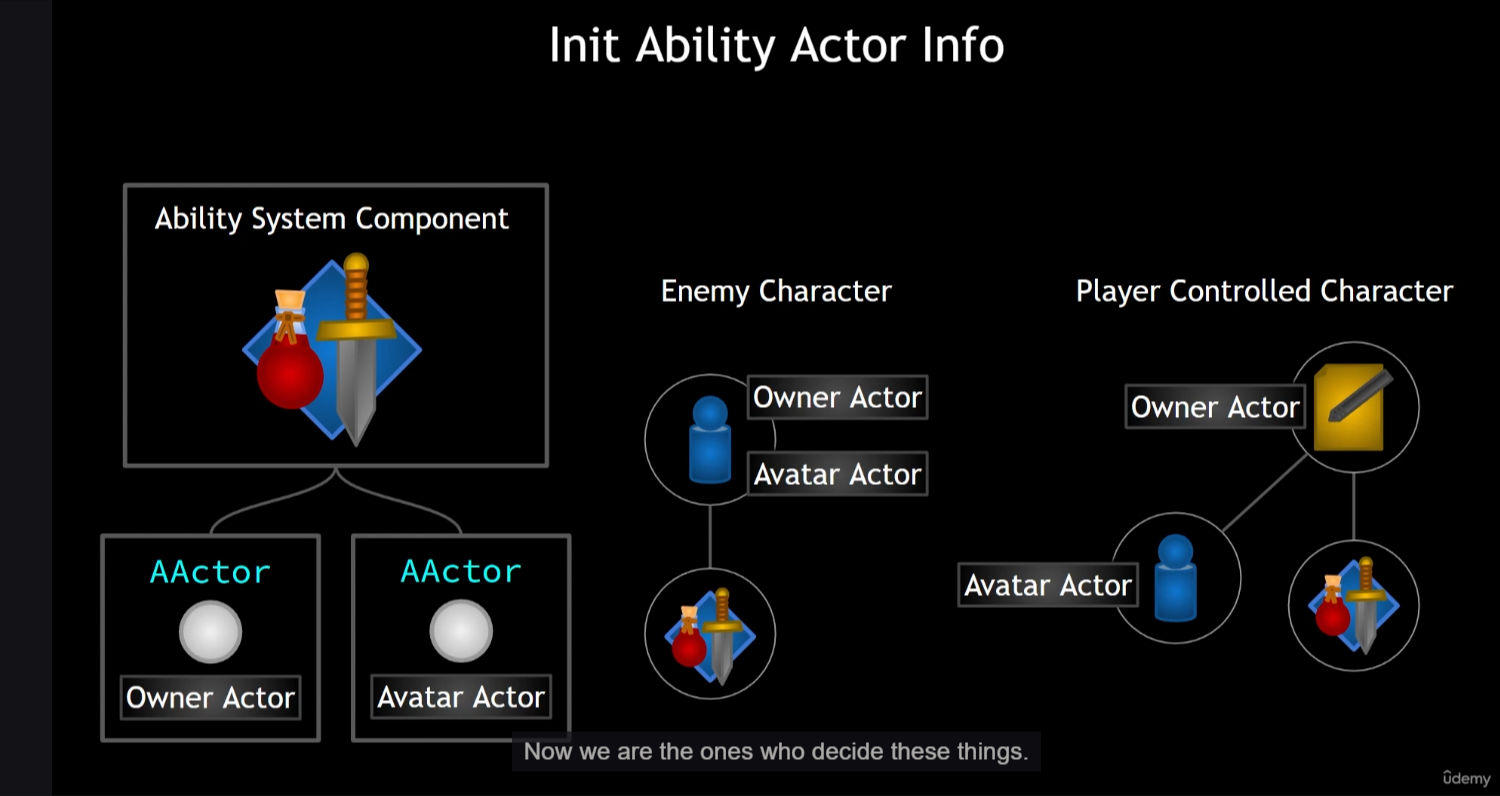
owner of the AbilitySystemComponent and attributeset are different for player character
-
can only init ability actor info after possesion (valid)
-
create BP_CC_PlayerState
-
update gamemode
12. Gameplay Abilities
- editor
- AbilitySystem
- Abilities
- PlayerAbilities
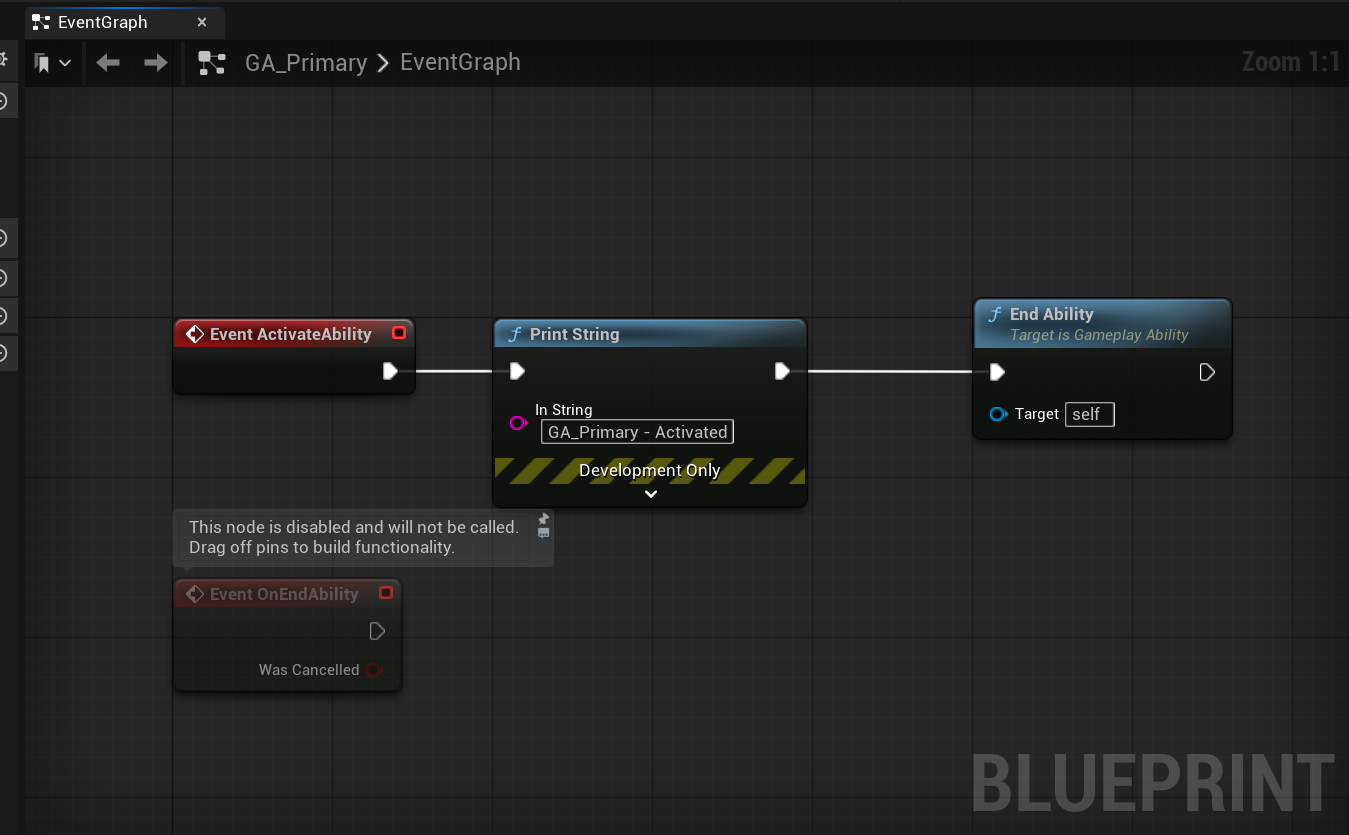
- GA_Primary
- replication policy
- leave it
- instancing policy
- instanced per actor (only 1 at given time)
- instanced pre execution (a new 1 everytime)
- replication policy
- GA_Primary
- PlayerAbilities
- Abilities
- AbilitySystem
13. Giving Abilities
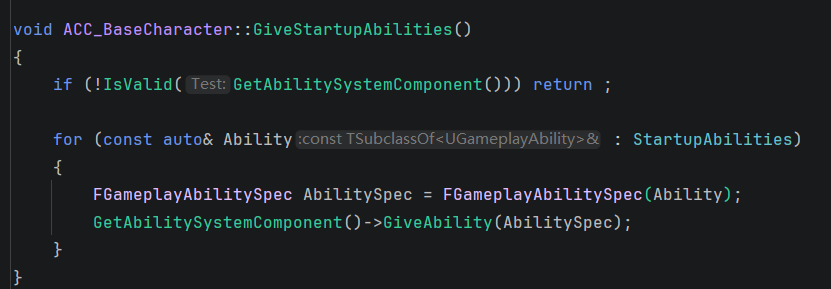
- give ability from CC_BaseCharacter
- create abilities array
- give startup abilities
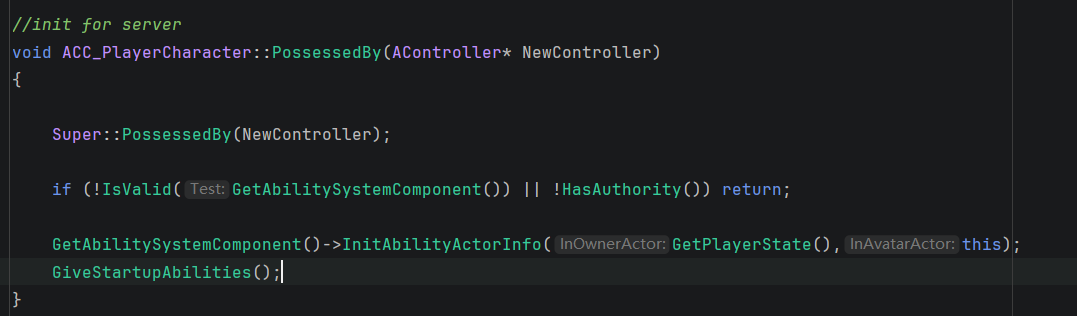
- call givestartup ability function on the server
- (inside PossessedBy)
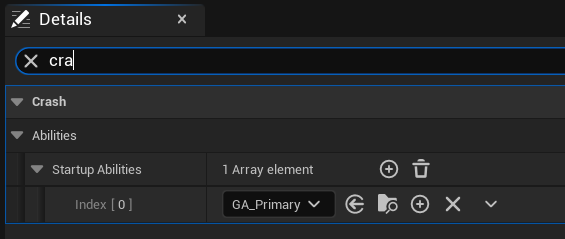
- add abilities into array in editor
14. Native Gameplay Tags
-
give ability from cpp
-
reason
- if we create it in cpp, both code and editor have access
- but if do it in editor, cpp can not get the reference directly
-
create new directory
GameplayTagsCCTags.hCCTags.cpp
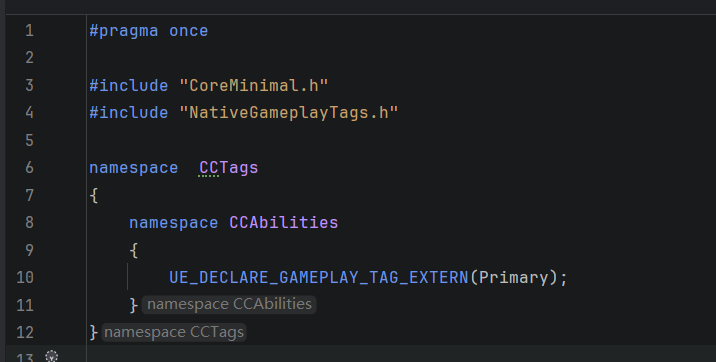
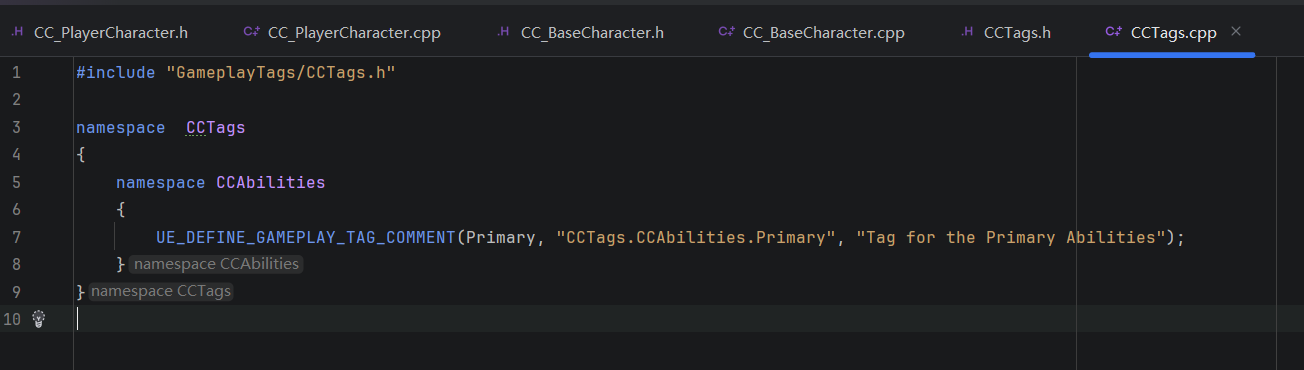
- add tag for GA_Primary
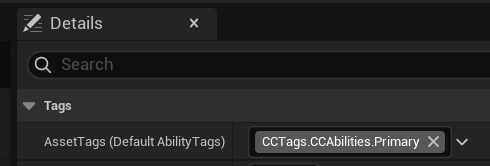
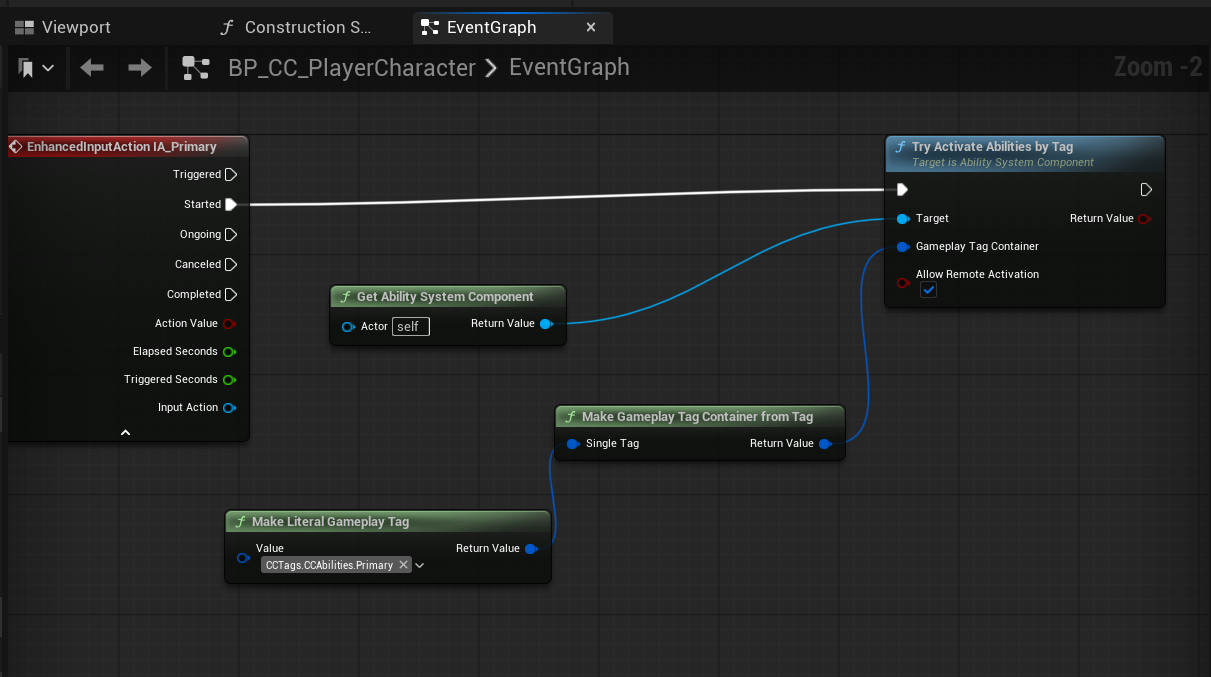
15. Activate Abilities by Tag
-
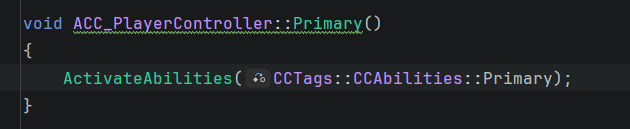
give abilities in cpp
-
CC_PlayerController
-
BUT actually you can also get gameplaytag from cpp even if not define in it
- FGameplayTag:: RequestGameplayTag ("CCTags.CCAbilities.Primary");
- cons
- hard coded
- may have typo

16. Secondary and Tertiary Abilities
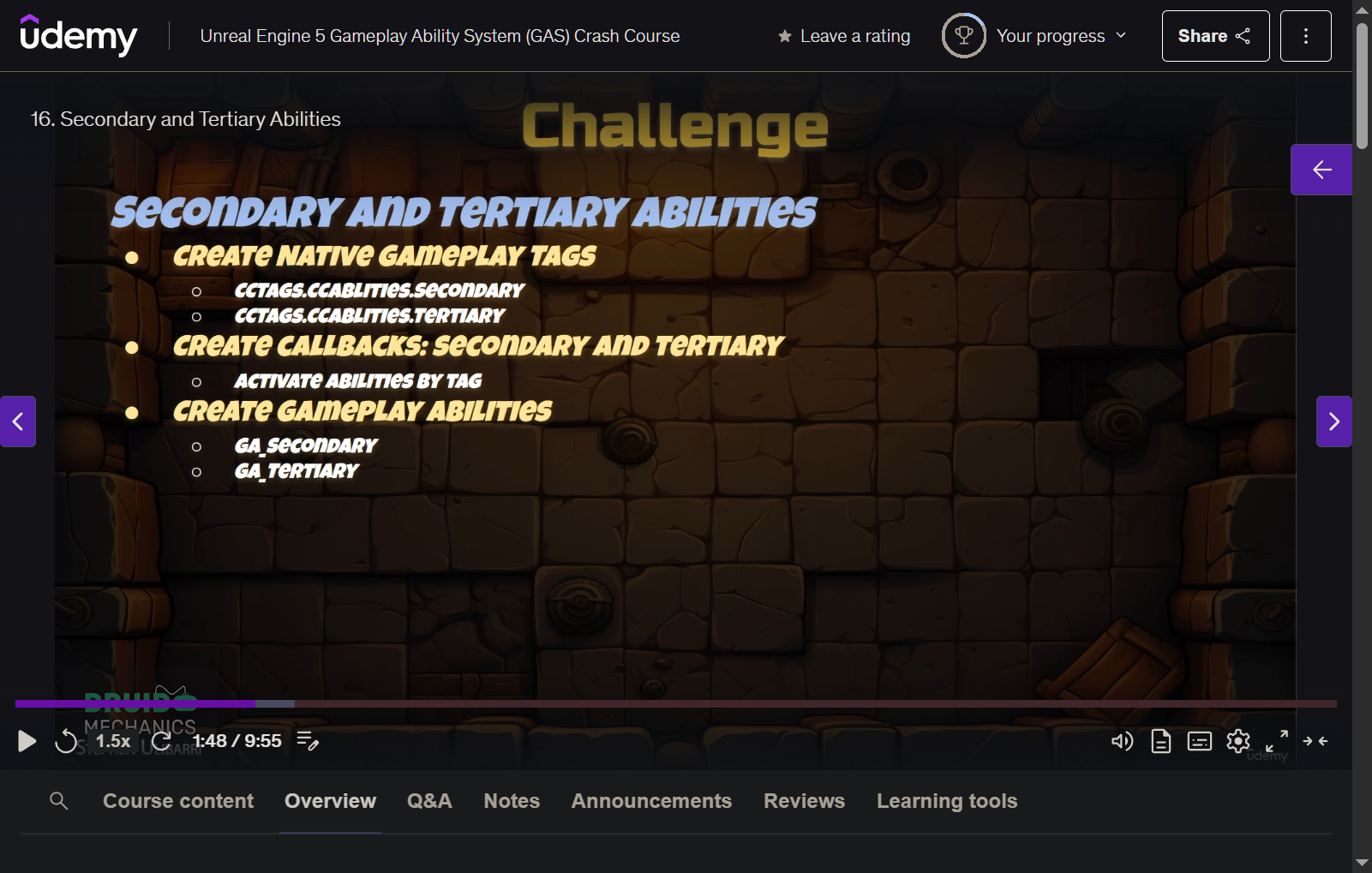
- create gameplay tags
- in CCTags (. h / .cpp)
- create gameplay abilities
- CC_PlayerController
- .h
- create input action
- create function
- .cpp
- bind action to input
- implement function
- activate with tags
- .h
- CC_PlayerController
- editor
-
create abilities
- GA_
-
bind tags in abilities
-
implement abilities logic inside
-
create input actions
- IA_
-
bind to IMC
-
bind inside CC_PlayerController
-
add abilities to startup abilities in CC_PlayerCharacter
-
17. Base Ability Class
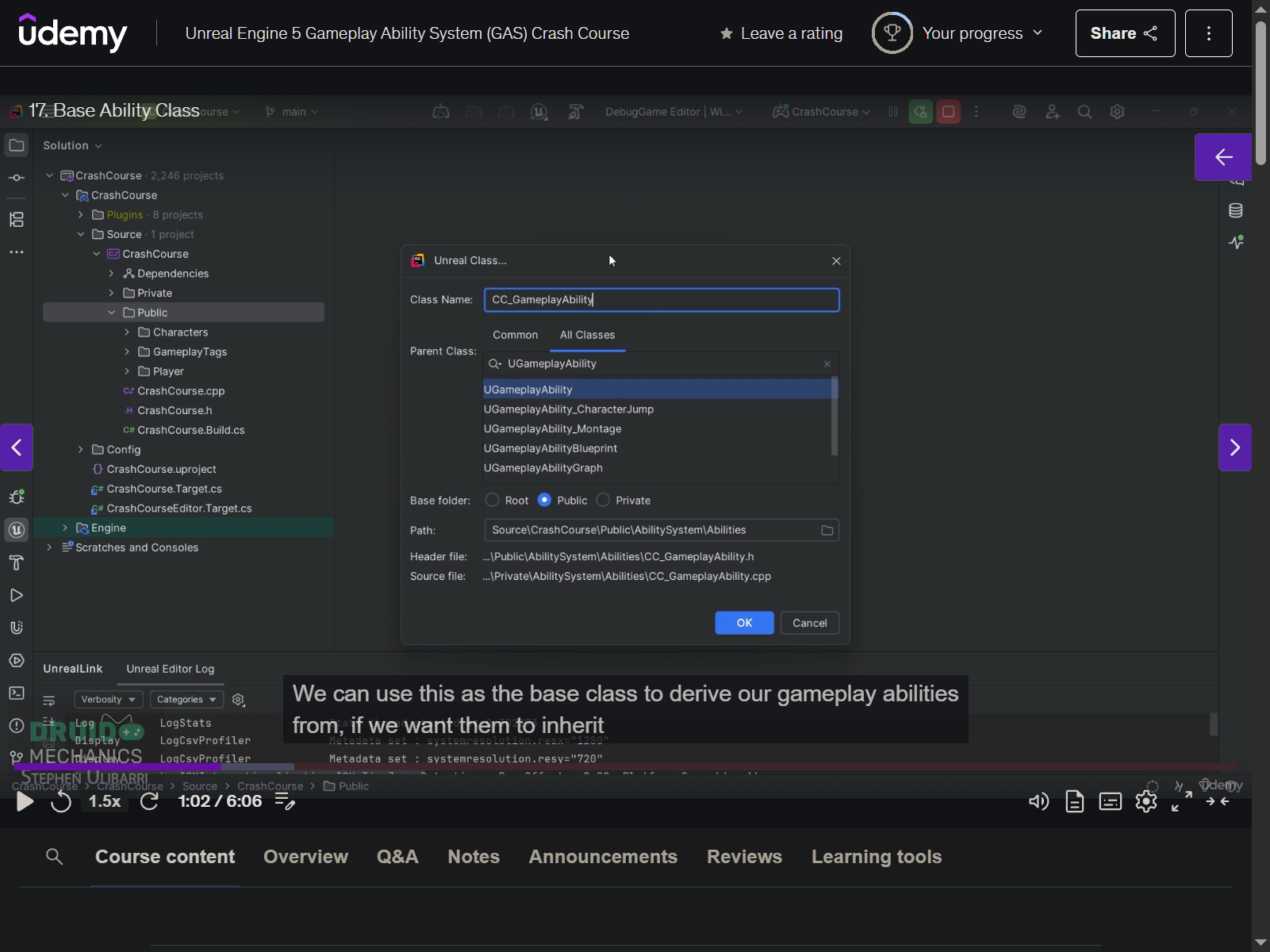
- .h
public:

    UPROPERTY(EditDefaultsOnly, BlueprintReadOnly, Category = "Crash|Debug")
    bool bDrawDebug = false;
- make GA derived from new CC_GameplayAbility
- branch with DrawDebug bool
18. Play Montage and Wait
-
PlayMontageAndWait
-
net synced because net execution policy - local predicted
- client will see it
- and server will get it
- do not need RPC
-
instancing policy
- instanced per actor
-
flipflop with Primary_B_Montage
-
create shorter animations
-
create montage for them
- use correct slot - Upperbody
- blend time
- in .05
- out .25
-
if want hold to trigger
- CC_PlayerController - ETriggerEvent::Triggered
19. Section 3 Intro
20. Gameplay Events
- create AN_SendEventToActor
- override Received Notify
- create gameplay tag
- CCTags. Events. Player. Primary
- send gameplay event to actor
- make event tag as variable (public)
- add event tag inside anim montage
- inside GA_Primary
- wait gameplay event
21. Enemy Class
-
create CC_EnemyCharacter
- bCanEverTick = false
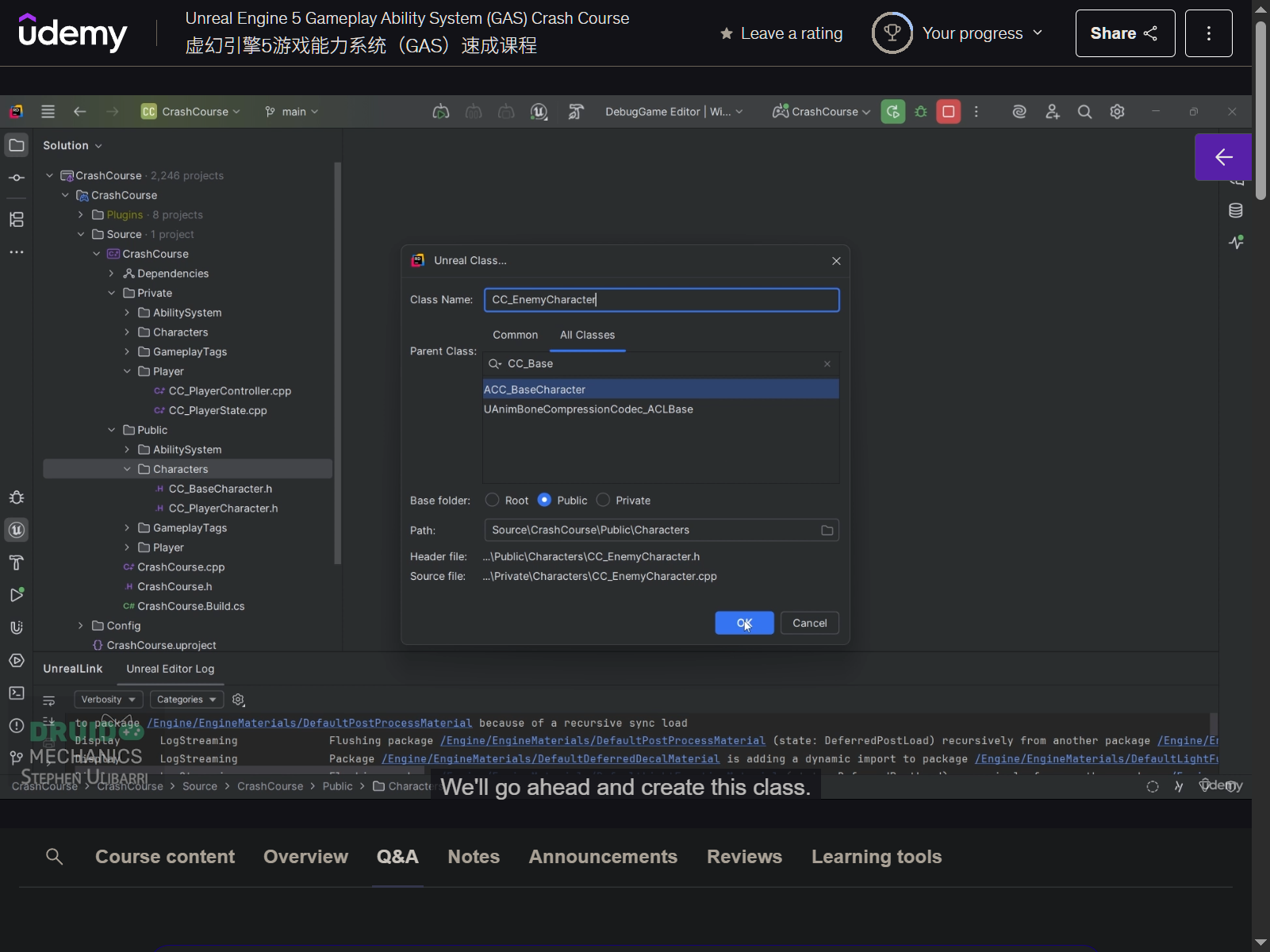
- bCanEverTick = false
-
create AbilitySystemComponent variable
- create
- SetIsReplicated = true
- SetReplicationMode = Minimal
-
override GetAbilitySystemComponent function
- return AbilitySystemComponent
-
InitAbilityActorInfo in Beginplay
- GiveStartupAbilities
-
in editor
- create BP_Enemy_Melee
- BP_Enemey_Ranged
- ranged core dawn
- create animation bp
- ABP_Enemy_Ranged
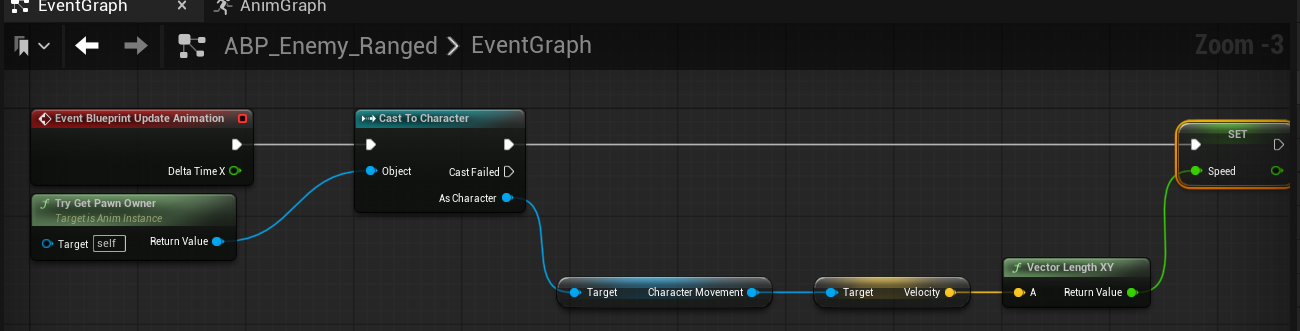
- get speed
- a better way
- override Blueprint Thread Safe Update Animation
- property access
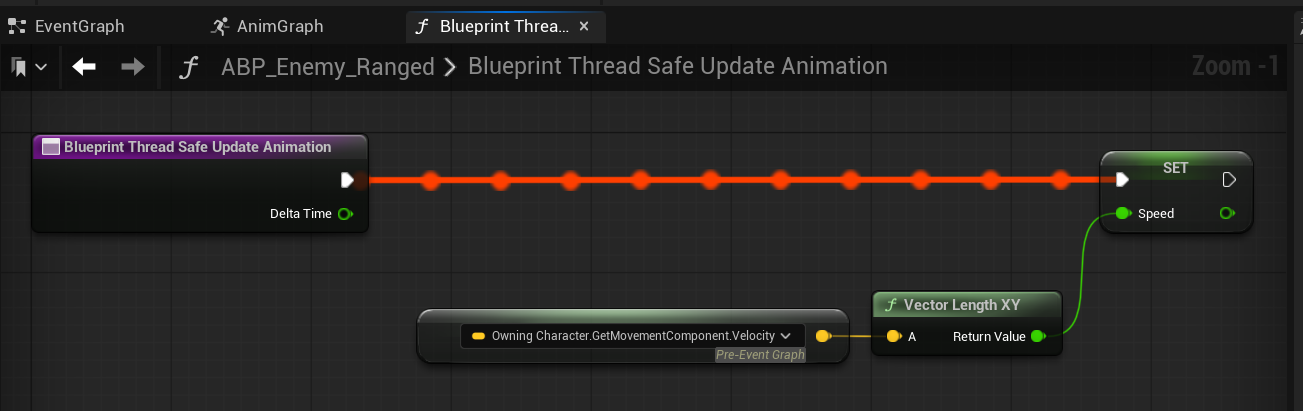
- override Blueprint Thread Safe Update Animation
- get speed
- ABP_Enemy_Ranged
- animgraph
- idletorun_a_combat
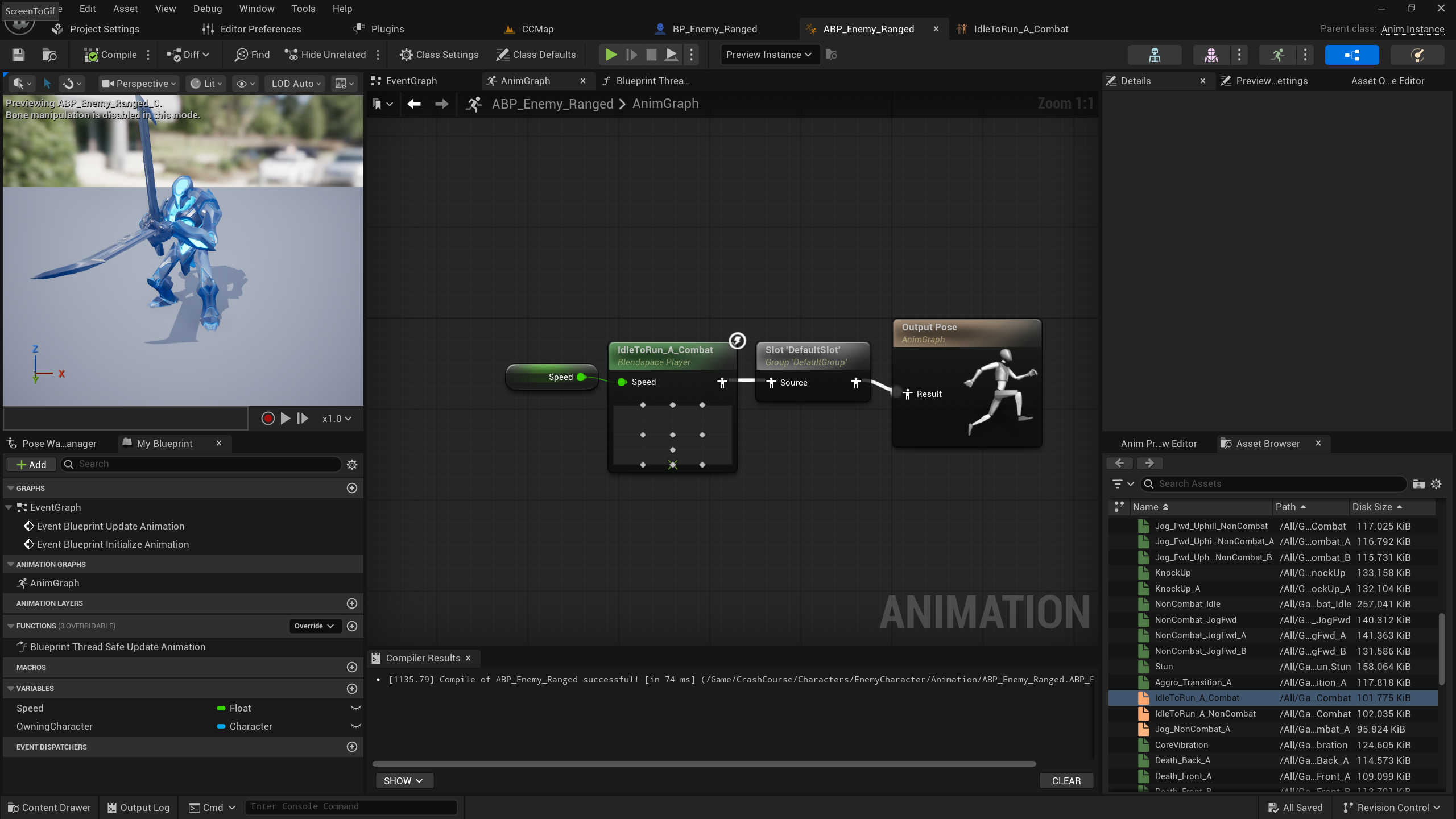
- idletorun_a_combat
- set anim class in bp
-
BP_Enemy_Melee
- mesh
- minion_melee
- create similar abp
- but seems do not have same blendspace...
- assign to BP_Enemy_Melee
- mesh
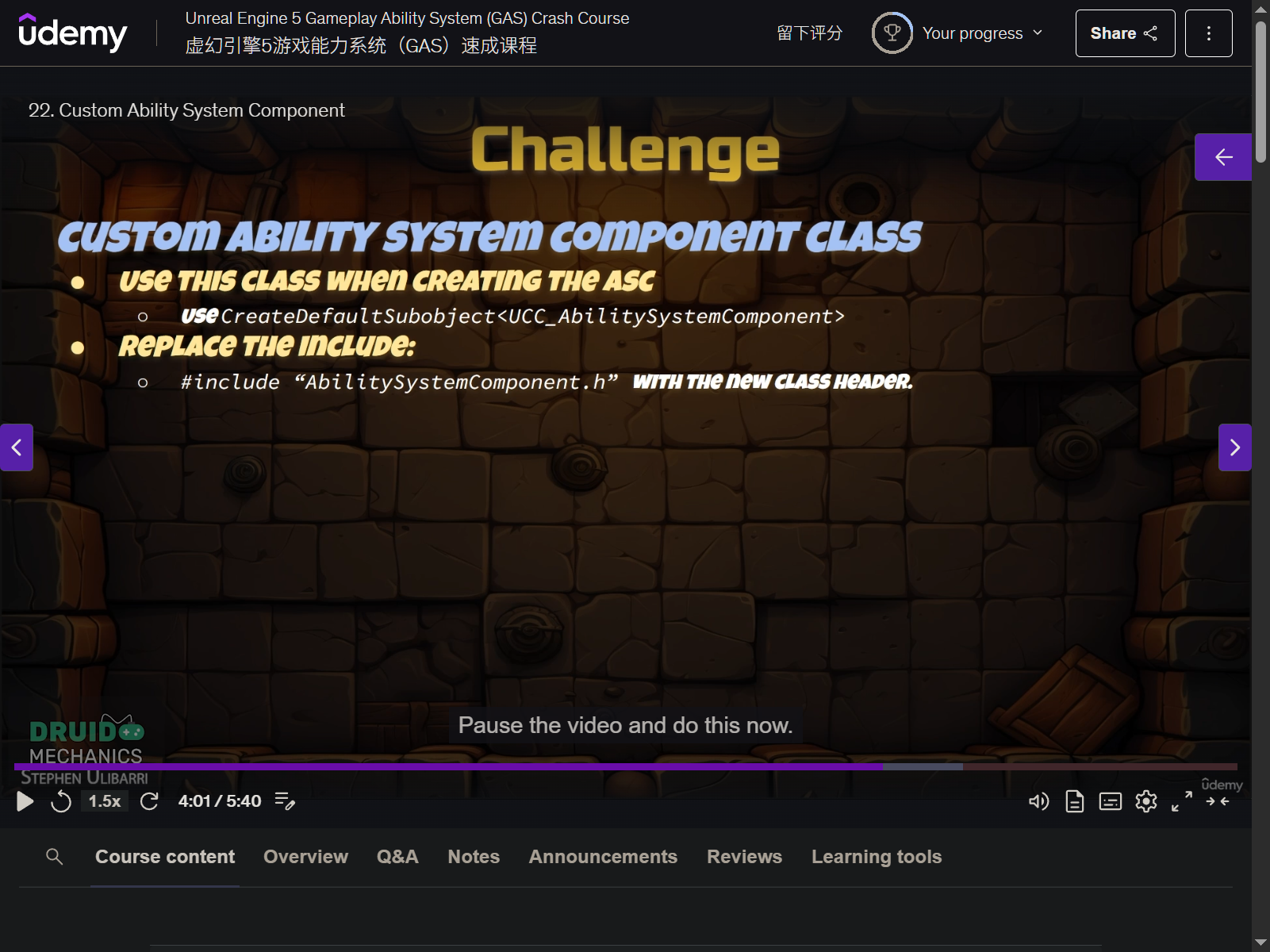
22. Custom Ability System Component
- create CC_AbilitySystemComponent
23. Auto Activated Abilities
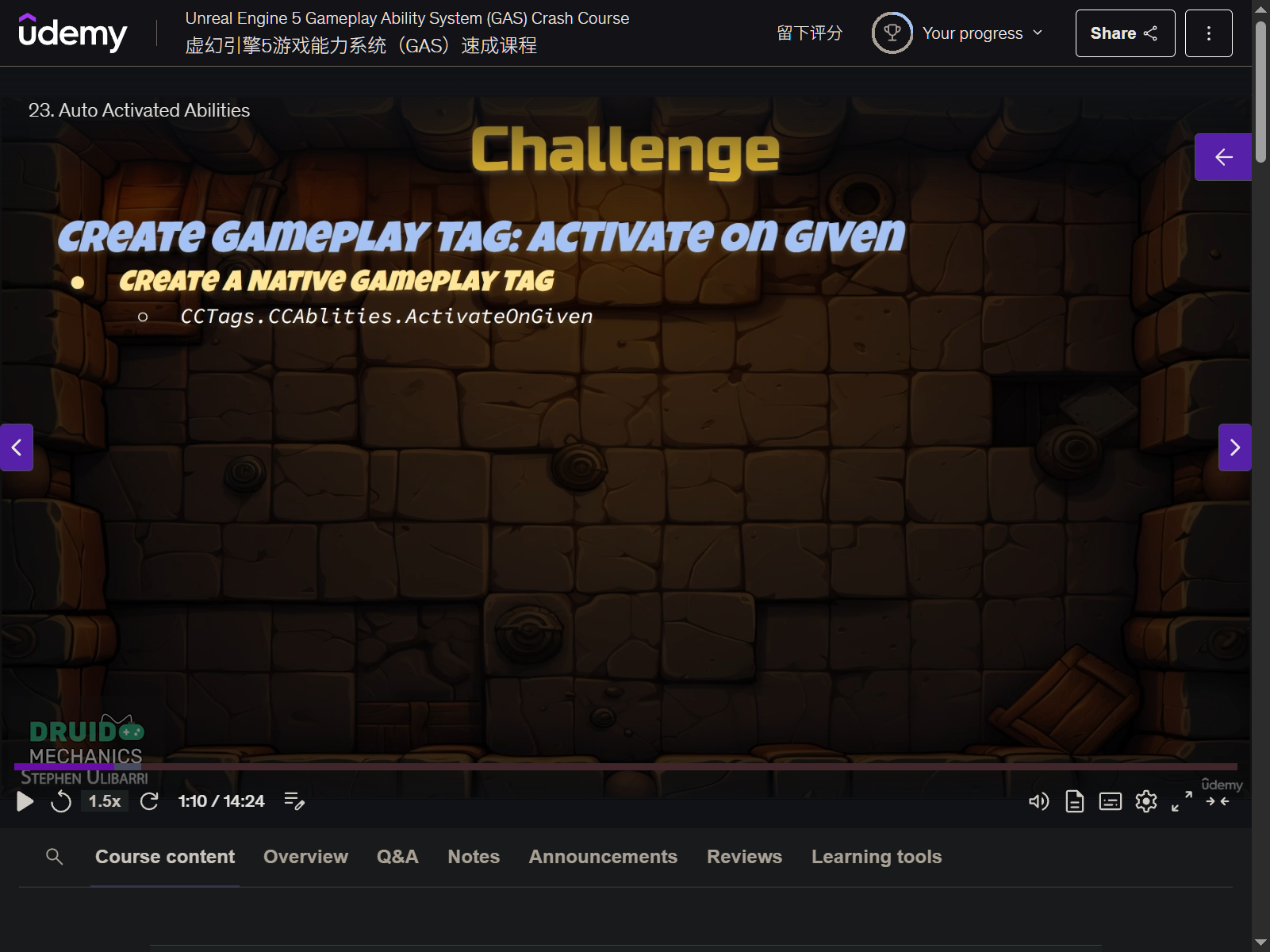
- override OnGiveAbility function in CC_AbilitySystemComponent
24. Hit React Ability
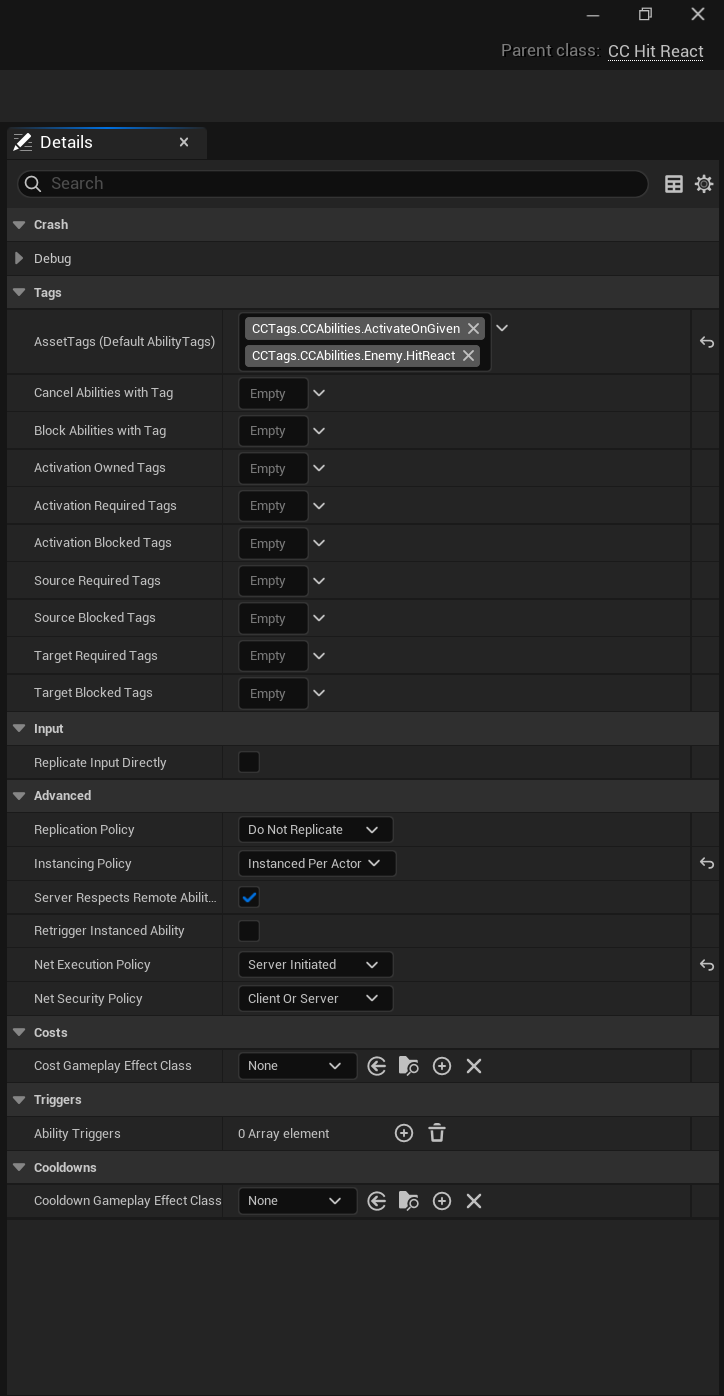
- add tags in cpp
- CCTags.Events.Enemy.HitReact
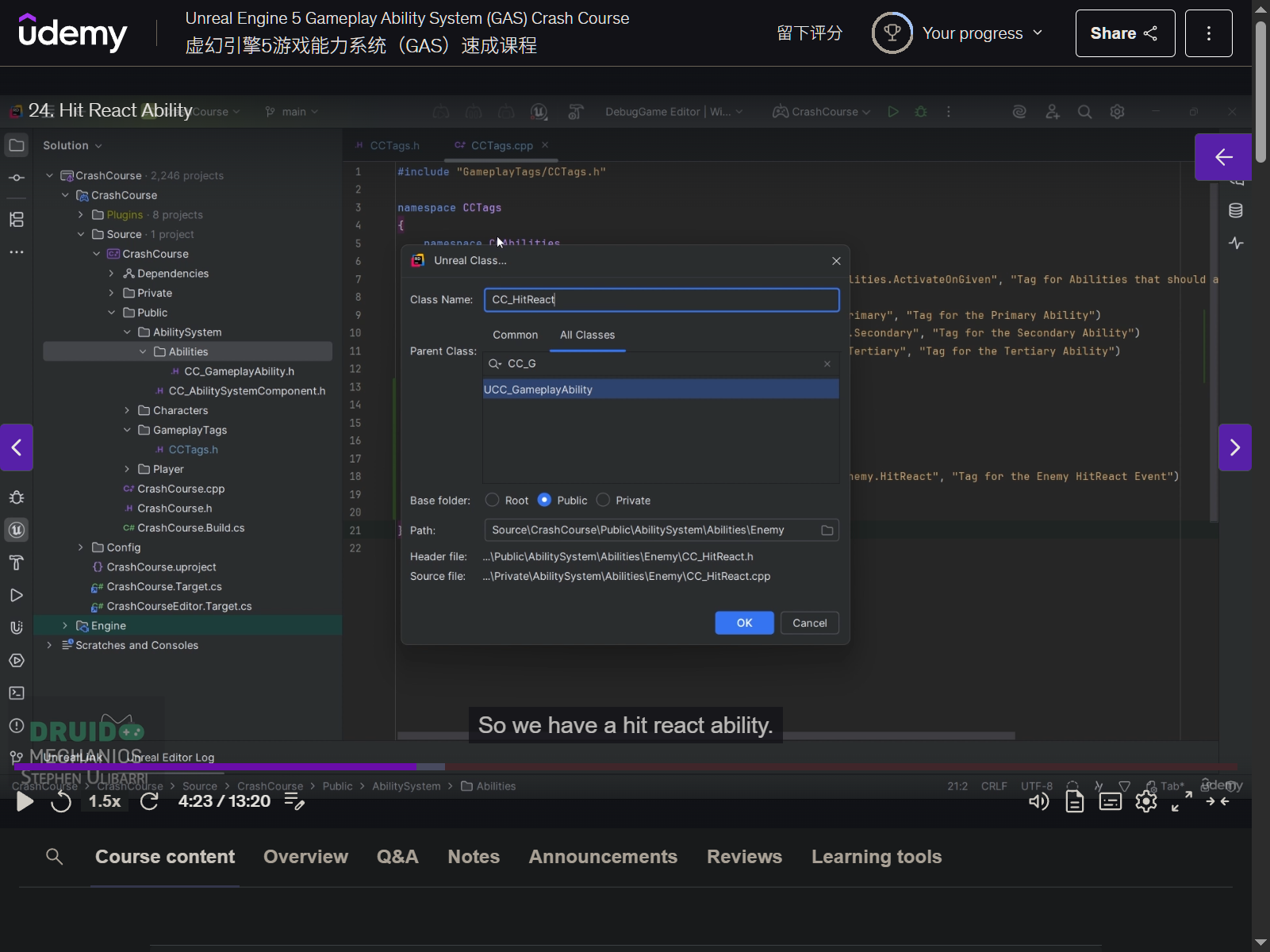
- create CC_HitReact class
- create GA_CC_HitReact
- create BP_CC_EnemyBase
- make BP enemy inherit from it
25. Overlap Test
- send event from GA_Primary to detect overlap
- change default pawn object type collision set
- change visibility channel from ignore to block
- create a cpp class to let GA_Primary to inherit
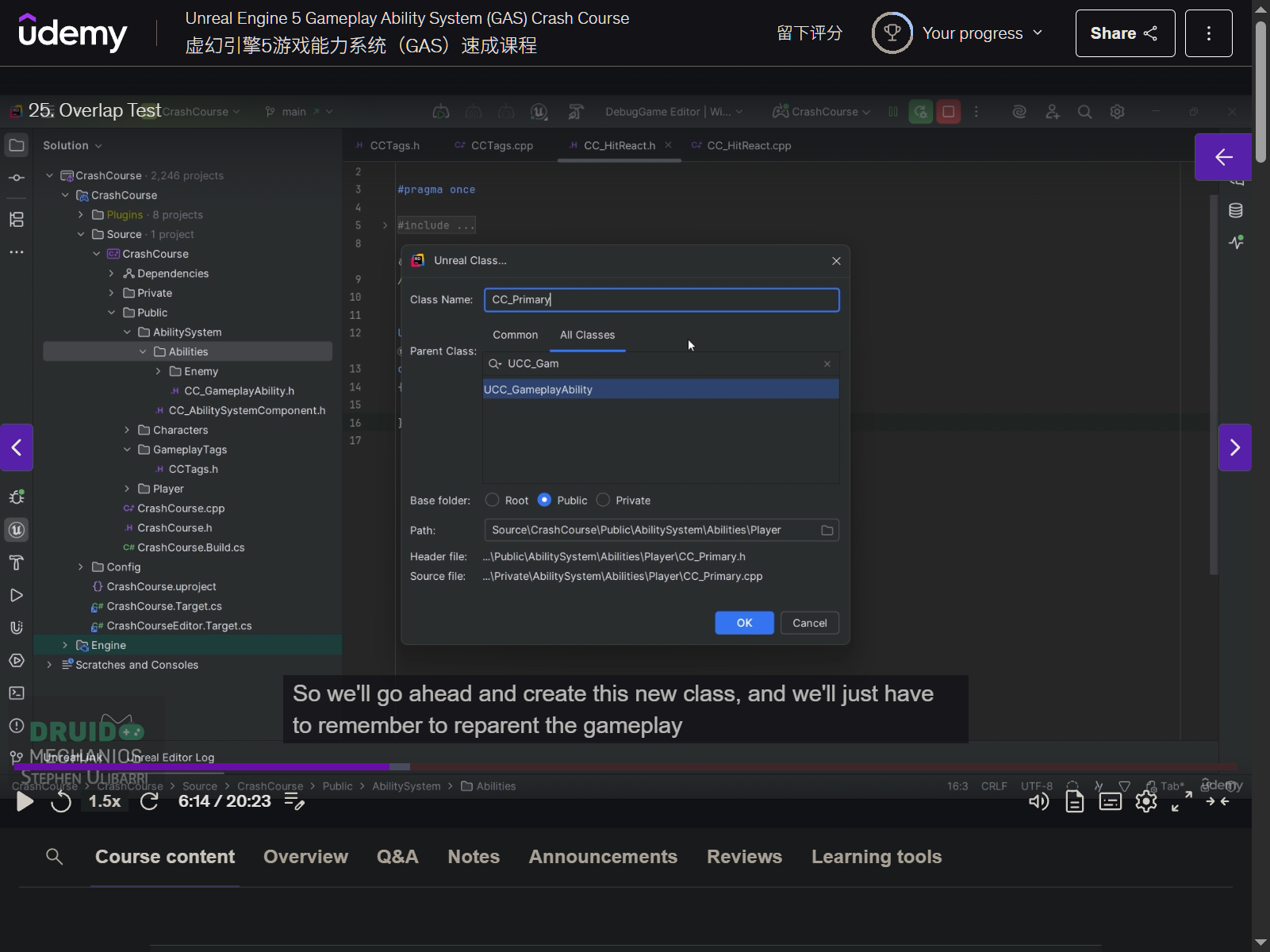
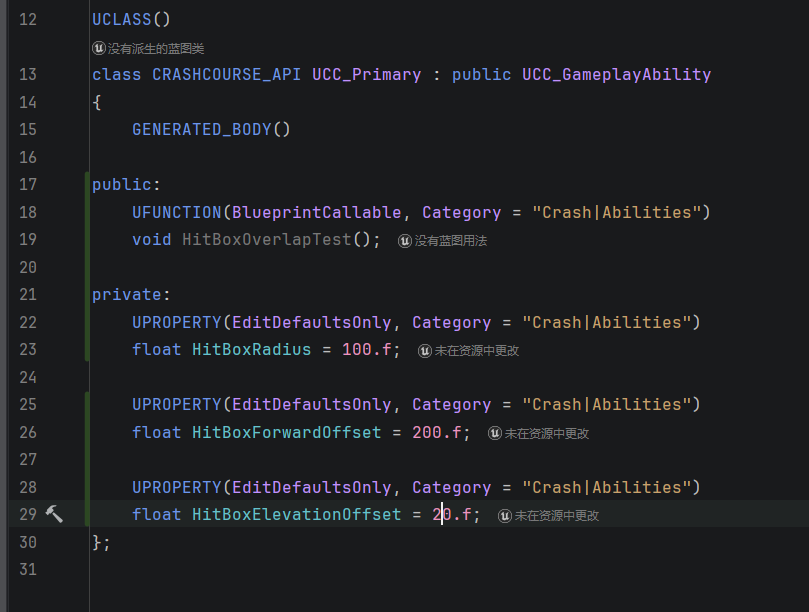
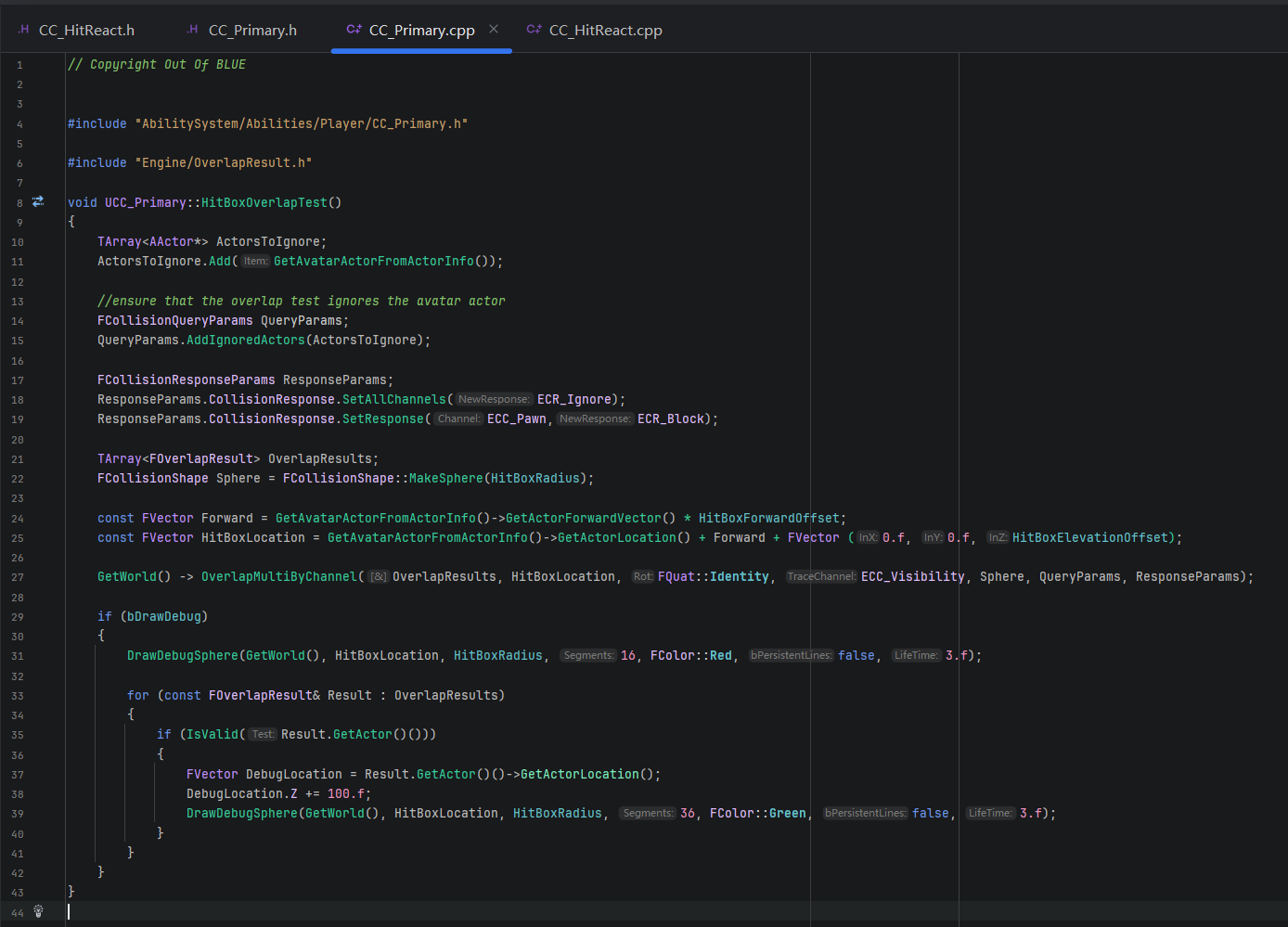
- reparent GA_Primary
26. Hit React Gameplay Event
- send event from GA_Primary
- CC_Primary
- encapsule
- DrawHitBoxOverlapDebugs
- refactory HitBoxOverlapTest function
- create SendHitReactEventToActors function
- encapsule
27. Calculating Hit Direction
- put debug string function to cpp
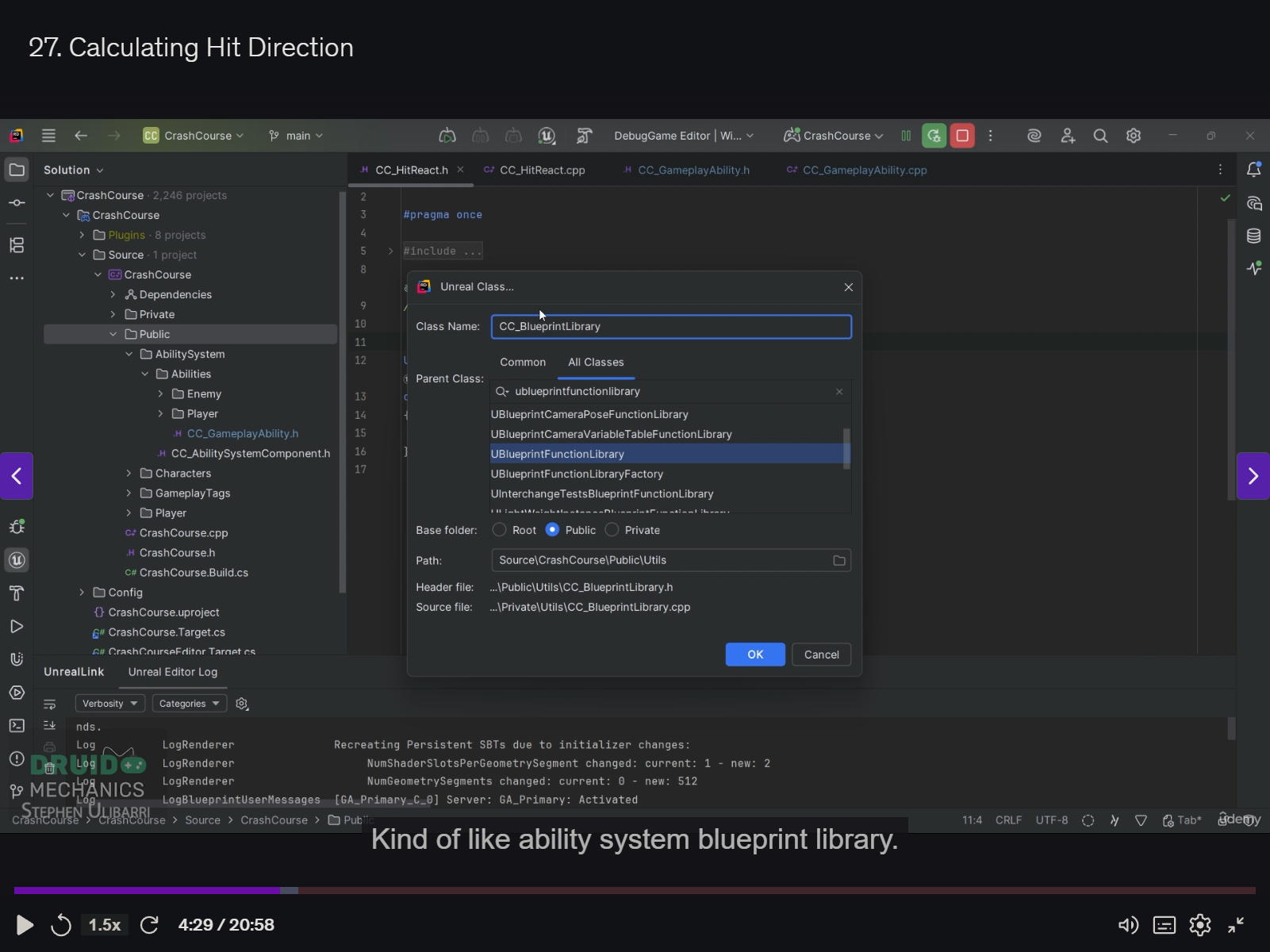
- create utils cpp
- create direction calculation function
- EHitDirection UCC_BlueprintLibrary::GetHitDirection(const FVector& TargetForward, const FVector& ToInstigator)
28. Hit React Montages
- create hit montage
- play hit montage
- create child bp based on GA_CC_HitReact
- override montage to play
- Montage jump to section
29. Primary Attack Particles
- add new notify track in montage
- add notify - play niagara particle effect
- choose correct niagara system
30. Section 4 Intro
31. Attribute Set
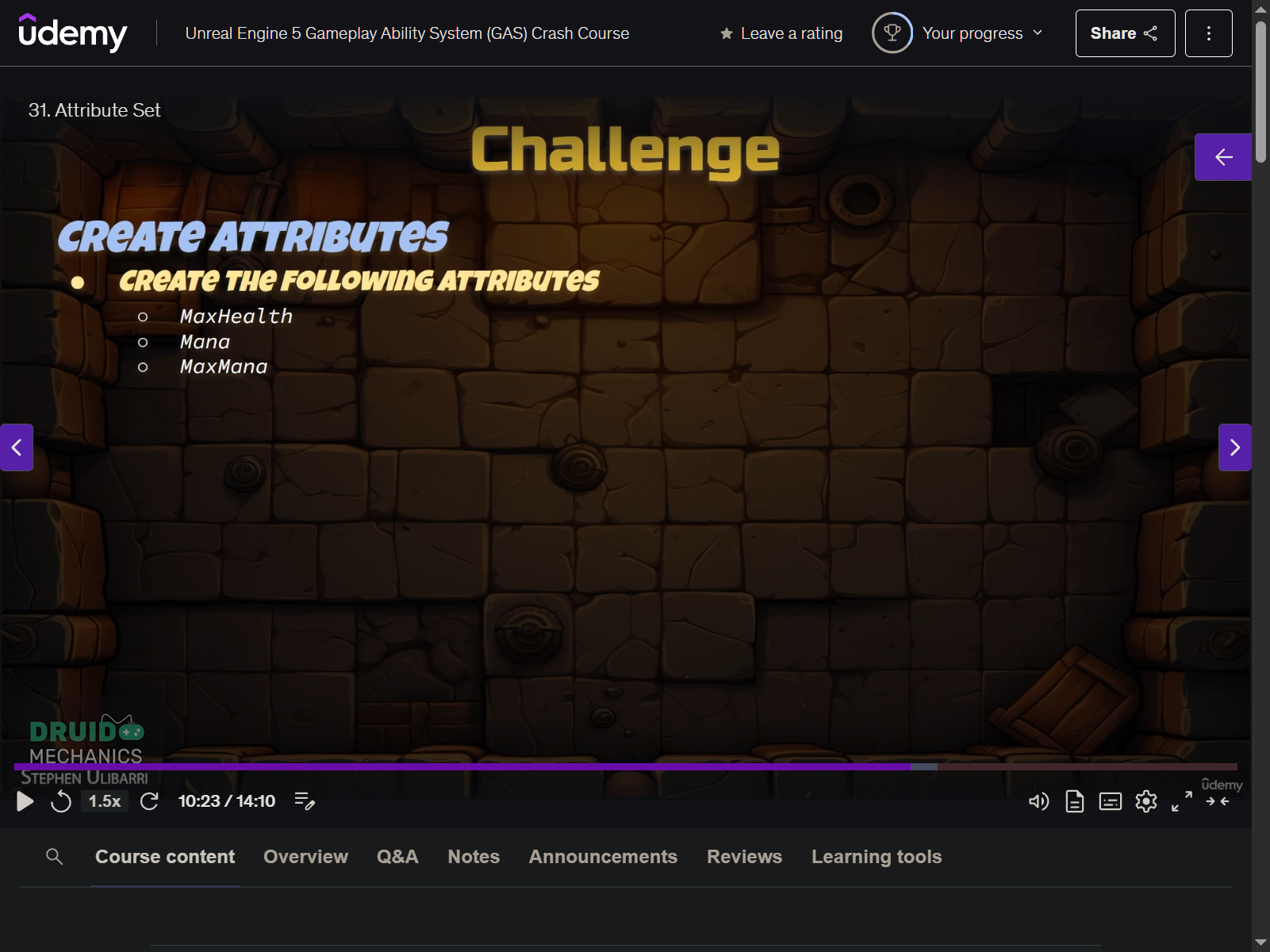
- CC_AttribteSet
- define macro ATTRIBUTE_ACCESSORS
- create attribute data - health
32. Adding the Attribute Set
- add attributeset to playerstate and enemy character
33. Initialize Attributes Gameplay Effect
- create GE_InitializeAttributes
- override all values to 100 with ge modifiers
- in base character class
- create InitializeAttributeEffect GE
- create InitalizeAttributes const function
- apply for player character and enemy character
- player character on server, so PossessedBy
- enemy character also on server, so BeginPlay
34. Attribute Widget Component
- create CC_WidgetComponent
- InitAbilitySystemData function
- create OnASCInitialized delegate to broadcast on server and client after initialized
- OnASCInitialized.Broadcast(GetAbilitySystemComponent(), GetAttributeSet());
- ADD UMG in build. cs
35. Post Gameplay Effect Execute
- know when ge is initialized, broadcast when initialized
36. Attribute Widget
- create CC_AttributeWidget to show attribute